HRM - Step 1: Setting Up Sick Leave
Celery comes with a sick leave plan already set up for you. You can change it to fit your needs in Employer - HRM - Time-Off Policies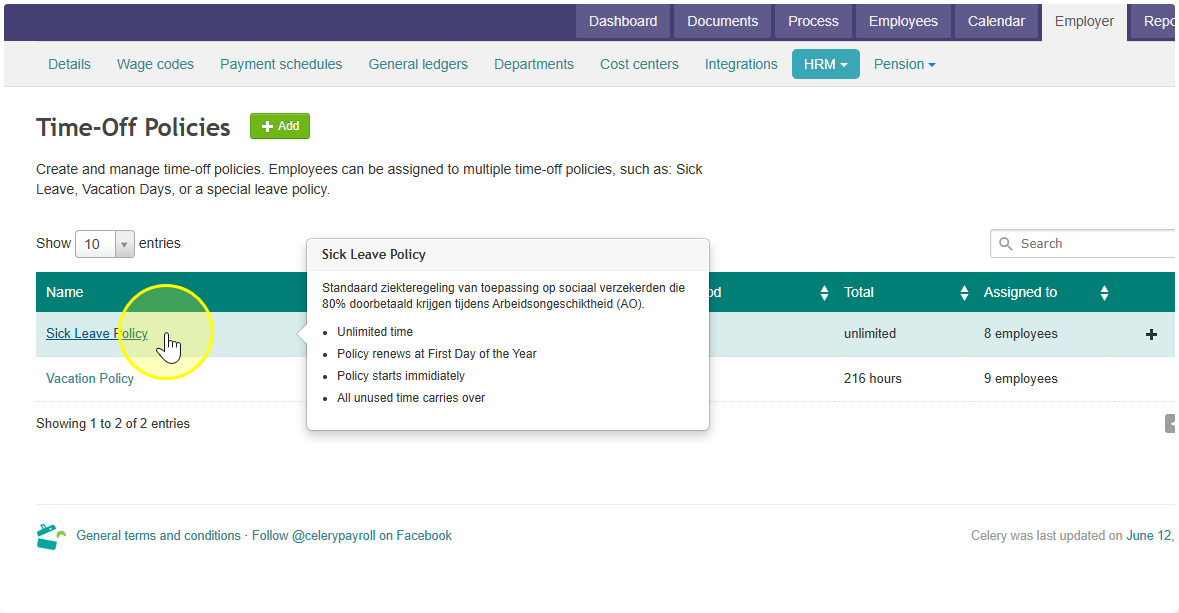
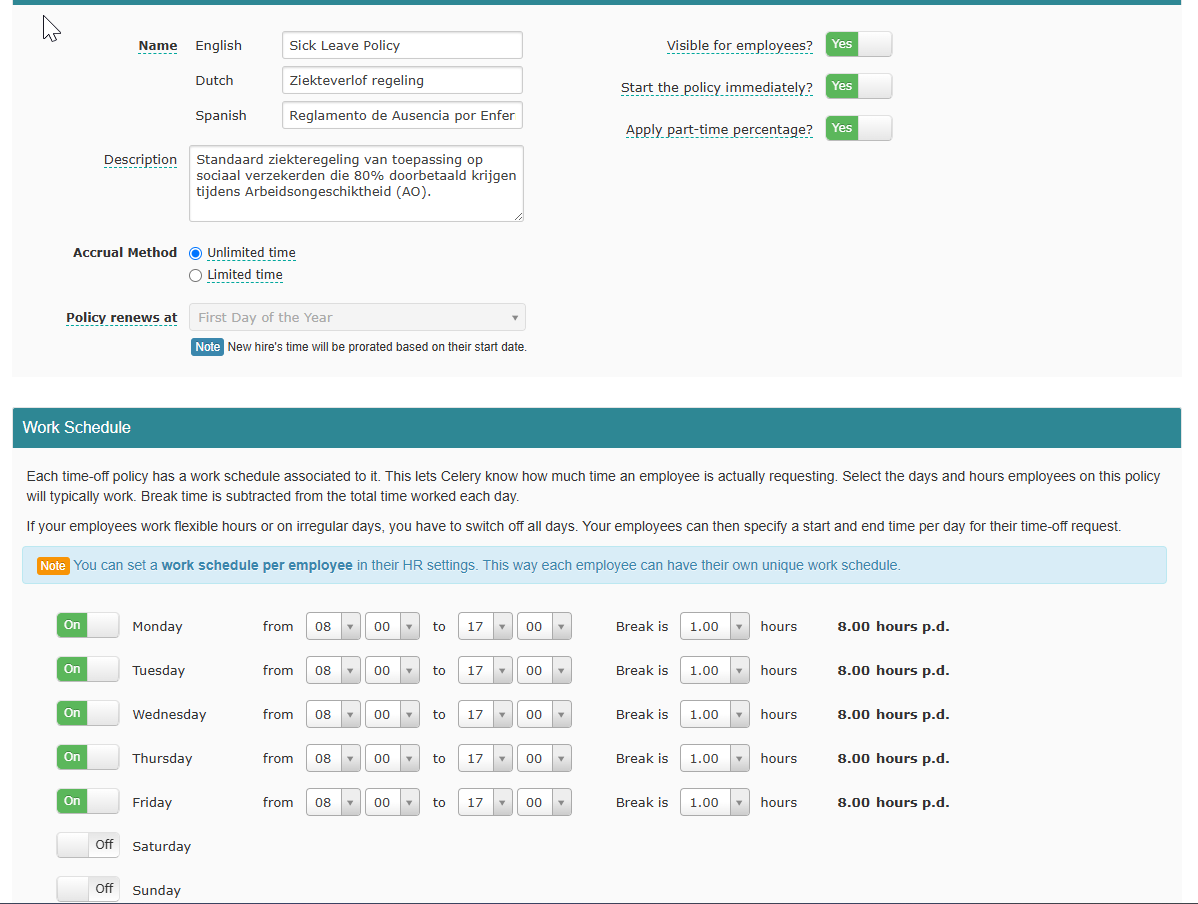
Work schedule
The sick leave plan includes a default work schedule. For example, if your employees work from 9:00 to 17:00 with a 30-minute break, update the schedule to match that.
If your employees have flexible hours, leave the work schedule empty. They can then fill in their own start and end times each day when they report sick.
Sick pay
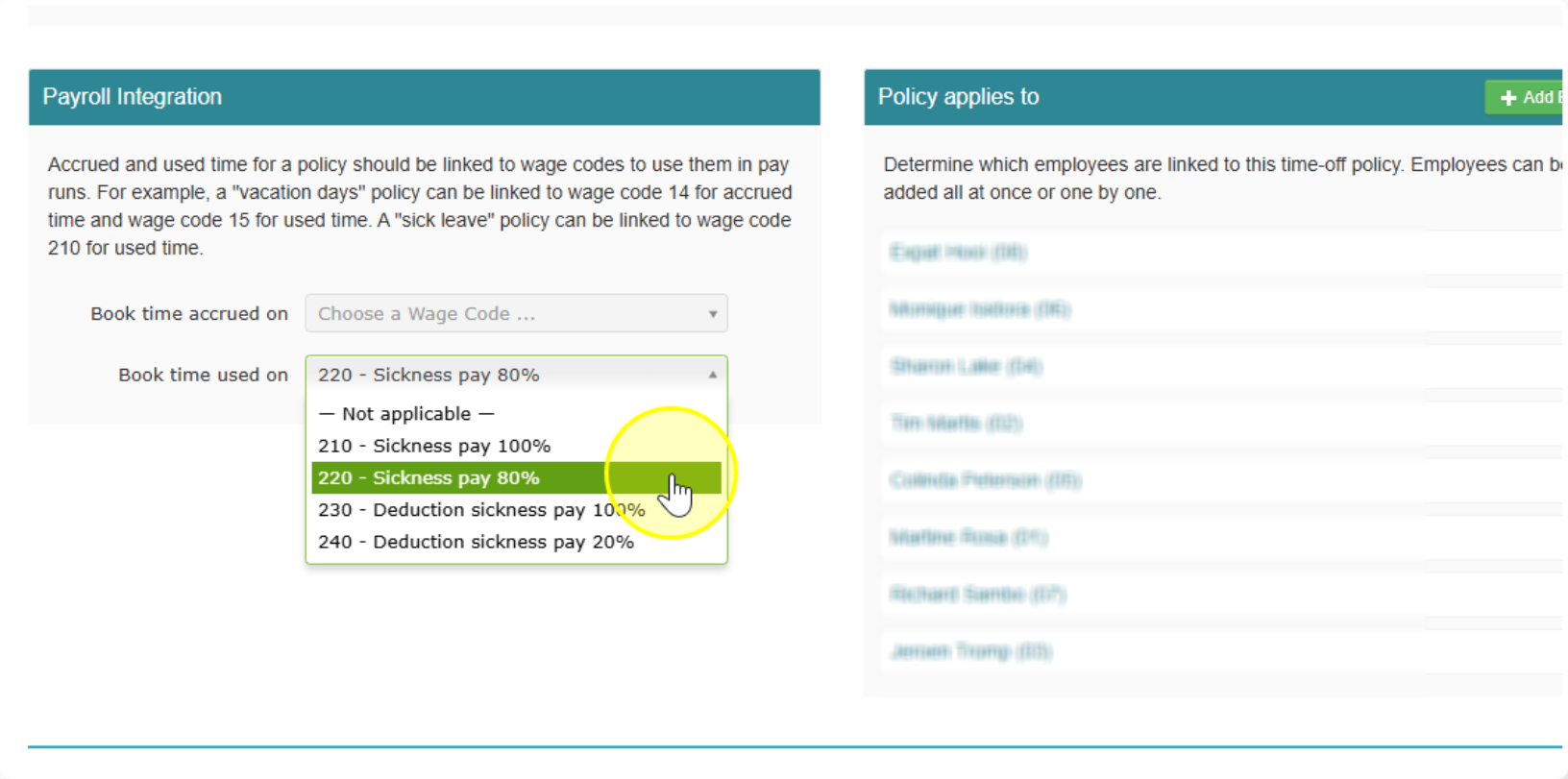
You also choose how sick pay shows up in payroll. Pick the payroll code that fits your situation:
- A specific payroll code — use this if you want sick hours to show separately on the payslip.
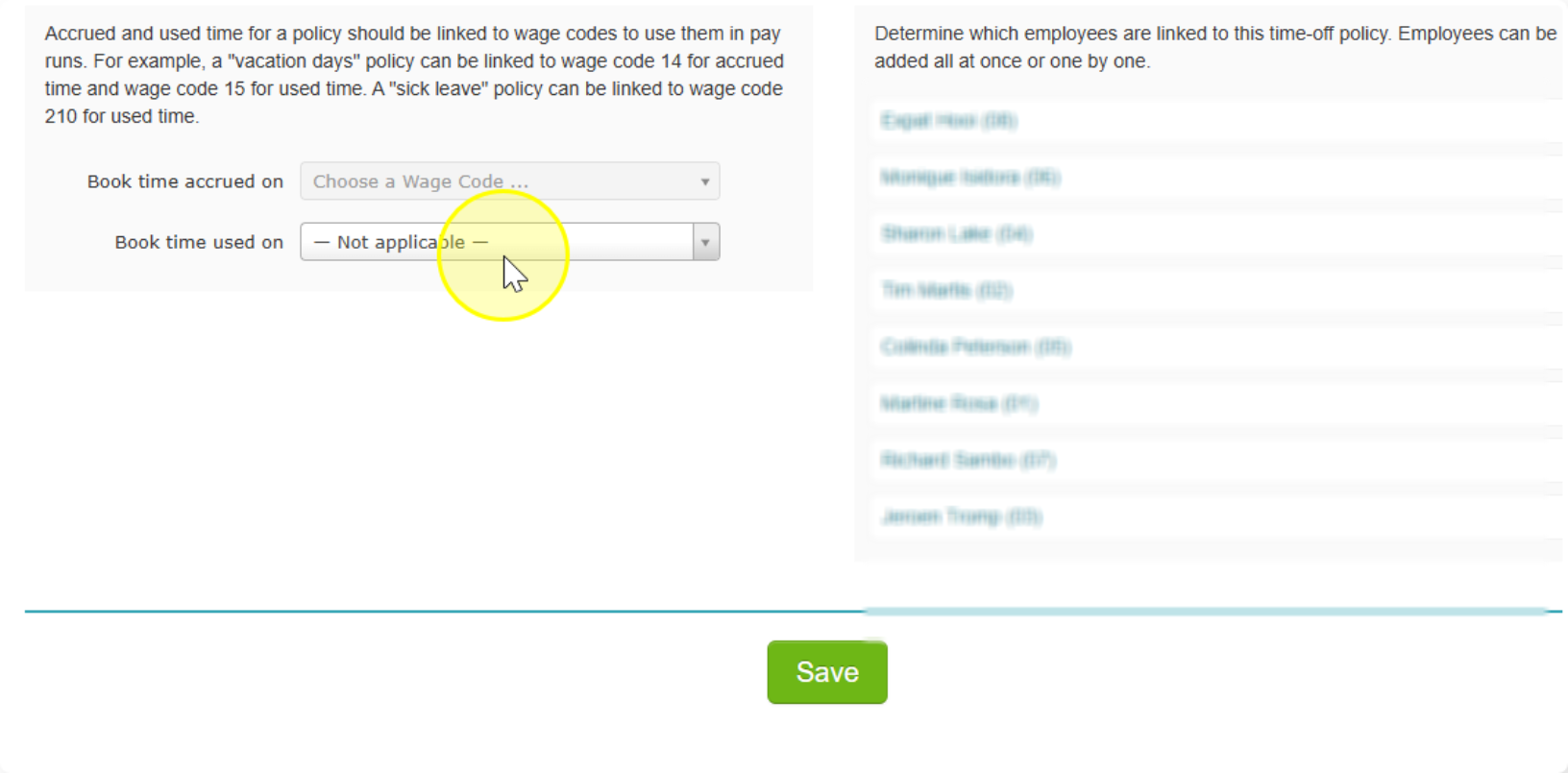
- Not applicable — use this if:
- You pay 100% salary during sick leave and don't need sick hours shown separately, or
- You handle sick hours through a mutation sheet (a separate list of changes you enter manually).
That's it for Step 1. Once you've set up the schedule and sick pay, you're ready to move on.