How do I remove an employee from an open or closed payroll run?
The steps depend on where the payroll run is right now.
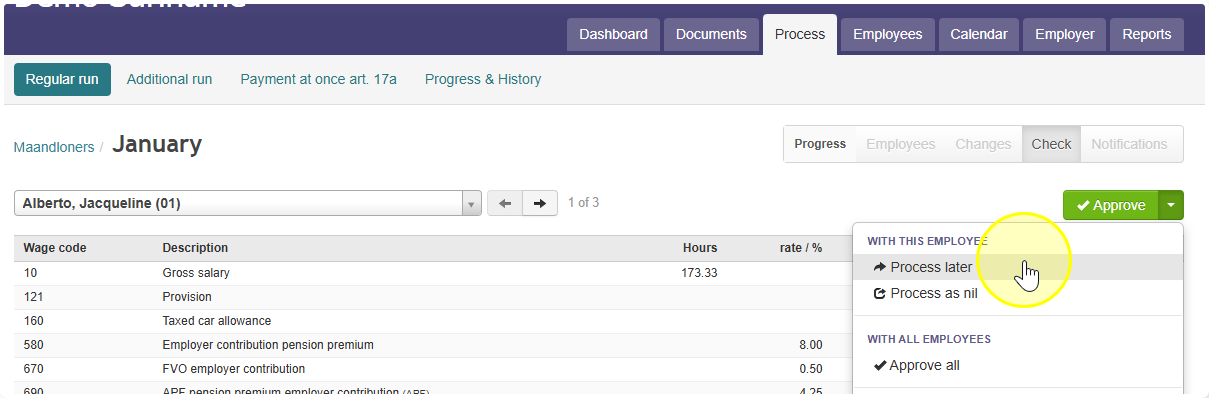
If the payroll run is still open:
- Go to Process.
- Find the employee.
- Select Process later.
If you already approved the employee first:
- You won't see Process later yet you need to undo the approval first.
- Select Reject for that employee.
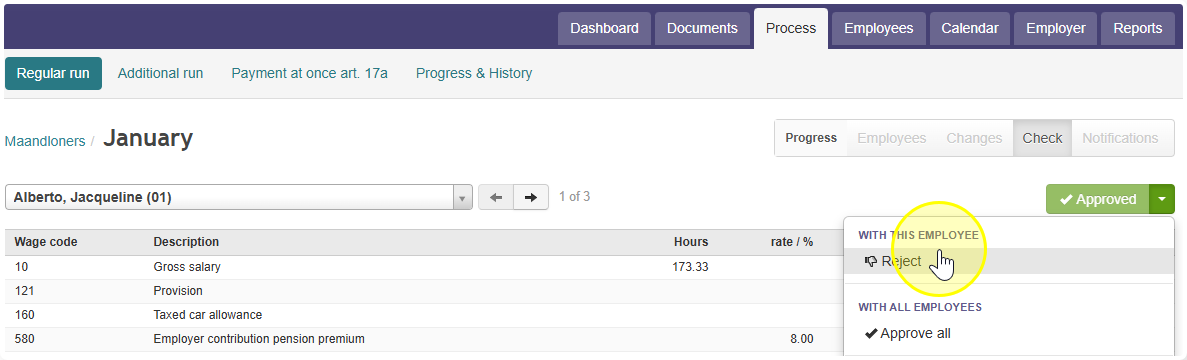
- Now Process later will show up. Select it.
If the payroll run is already closed:
- You first need to reopen it. How to reopen a closed run.
- Once it's reopened, follow the steps above (reject if needed, then select "Process later").