Can I hide HRM information from my Payroll Services Provider (PSP)?
Yes, absolutely! You can keep all HRM information completely hidden from your PSP.
Please note: You need company user rights to set this up. Your PSP can give you these rights. More information can be found in our explanation about the company user.
Here's how to do it:
- Go to Employer
- Click Integrations
- Click Human Resource Management (HRM)
- Click HRM module
- Set setting 'Account Users have HR Manager rights' to No
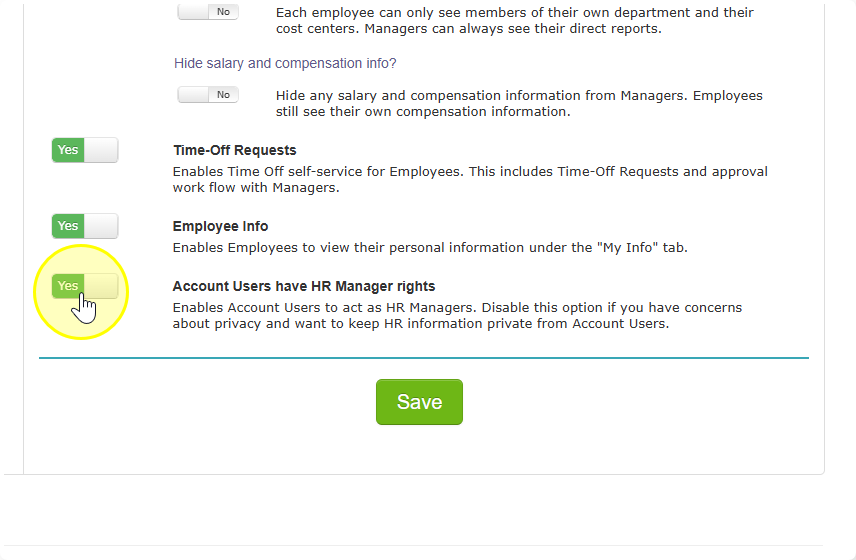
When this setting is switched to No, HRM information will not be visible for your PSP.