How to add hourly-paid employees
Some employees don't get a fixed monthly salary. They get paid by the hour. This is common for:
- On-call workers
- Zero-hour contract workers
Step 1: Set up the employee correctly
- Don't use a fixed monthly wage.
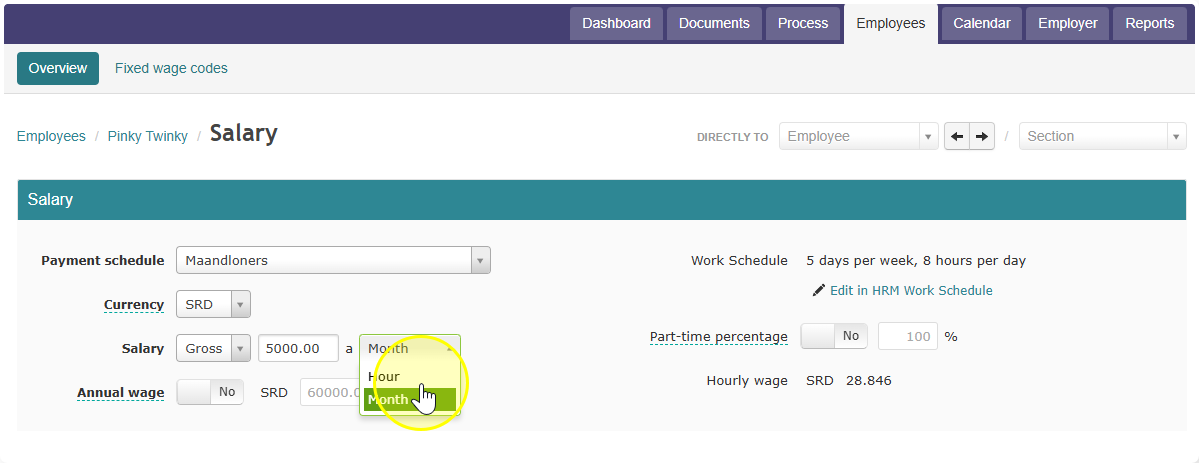
- Instead, enter a fixed hourly wage.
- Change the setting from "per month" to "per hour."
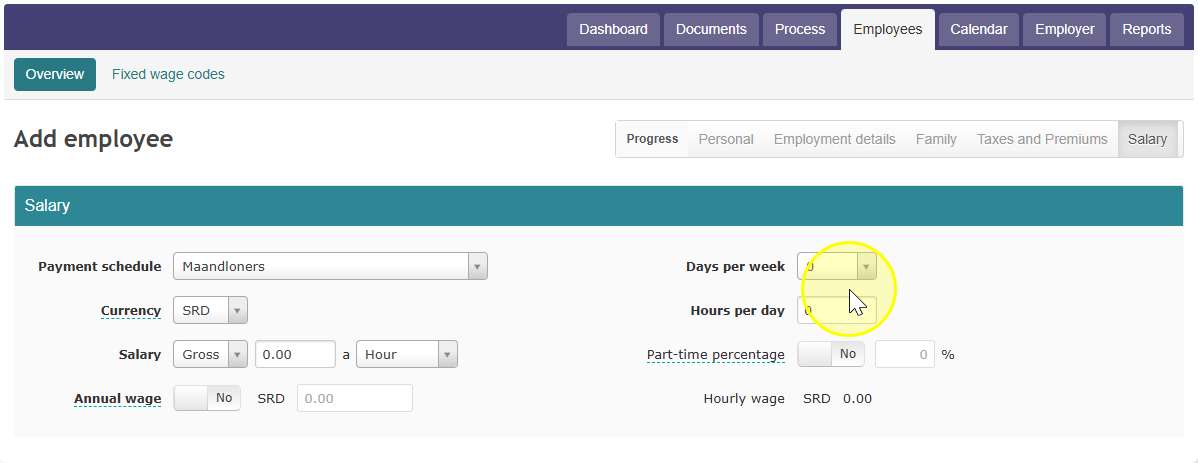
- You can leave "days per week" and "hours per week" at zero.
Step 2: Add the hours they worked
- When you process payroll, go to that employee.
- Enter the number of hours they actually worked.
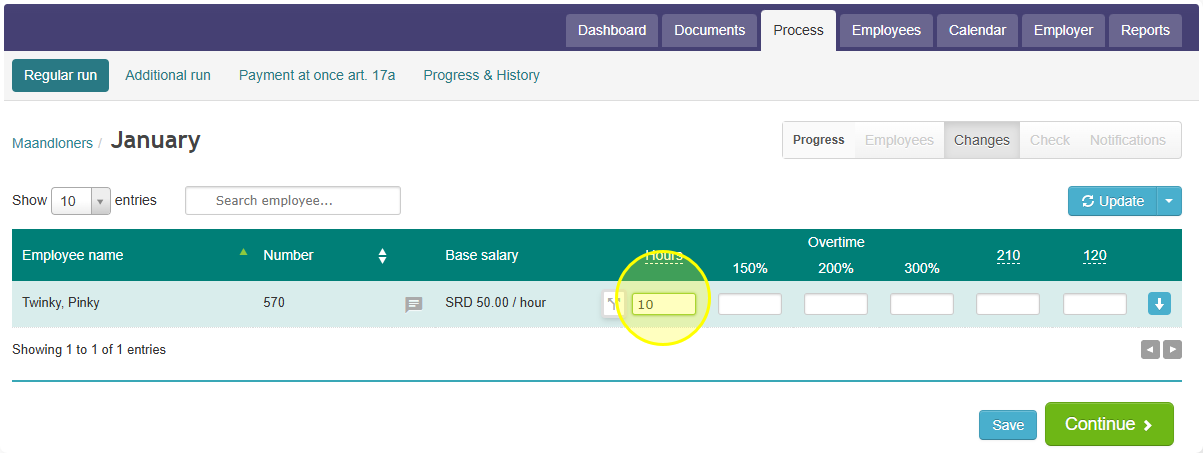
- They will only get paid for those hours.
Step 3: Watch out for ZV premium (Curaçao and St. Maarten only)
This part is important:
- If "days per week" is set to zero, the SVB/SZV ZV premium will NOT be charged.
- If you do want this employee to pay ZV premium (for example, they work 5 or 6 days a week), then:
- Set "days per week" to 5 or 6
- Turn ON the ZV premium setting
- You can still leave "hours per week" at zero — that part doesn't matter for ZV premium.