Why don't my salary journal and general ledger codes change language when I switch language?
Short answer: they get "locked in" on purpose, so nothing gets messed up by accident.
Here's what happens:
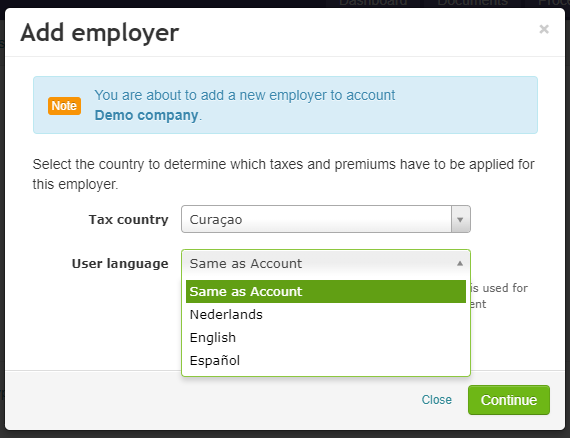
- When you first set up a new employer (payroll), the general ledger codes and payment schedule names get created in one language. That's the language you picked at setup — either the account's language, or "Same as Account."
- After that, those codes stay in that language. Even if you later change your account language or the employer's language, the codes and names do not change.
Why does it work this way?
Because over time, people often:
- rename general ledger codes, or
- add brand new ones.
If the system changed the language automatically, it could overwrite those changes or new codes without asking you. That could cause mistakes. So instead, it plays it safe and leaves everything as-is.
Want to change the language anyway?
You can — but you have to do it yourself:
- Go to Employer → General ledgers and click on the code you want to change.
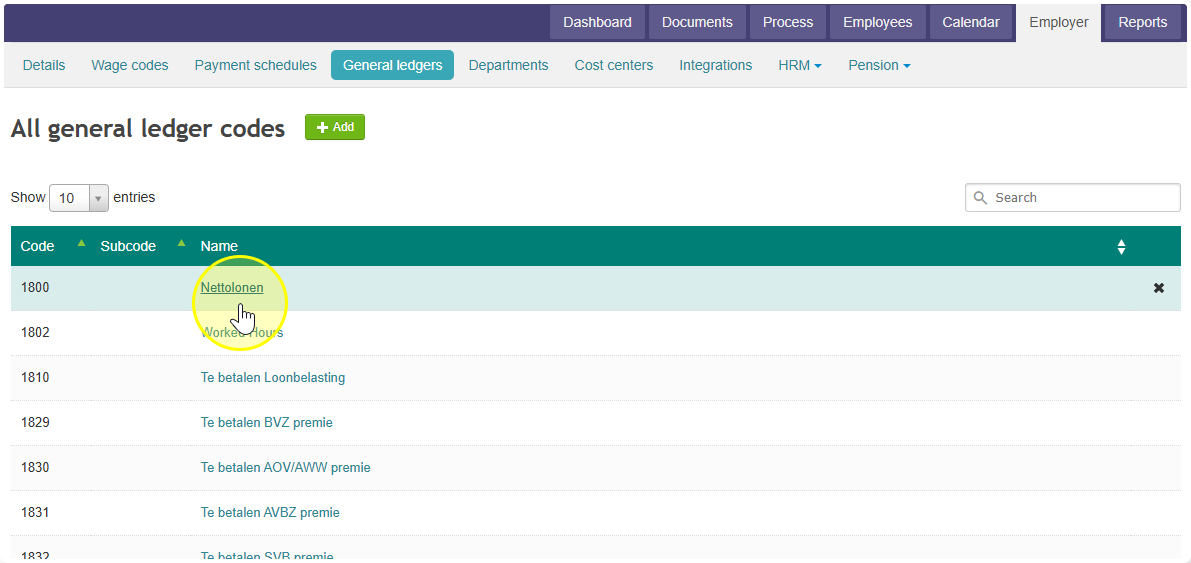
- Replace the old names with the new ones.
There's no automatic switch for this — it's a manual step to keep things accurate.