Some net payments or bank deductions are missing from my digital payment file. How do I add them?
This usually happens because a setting called “In payment file” is switched off. When it’s off, those payments are left out of the bank file.
Here’s how to fix it:
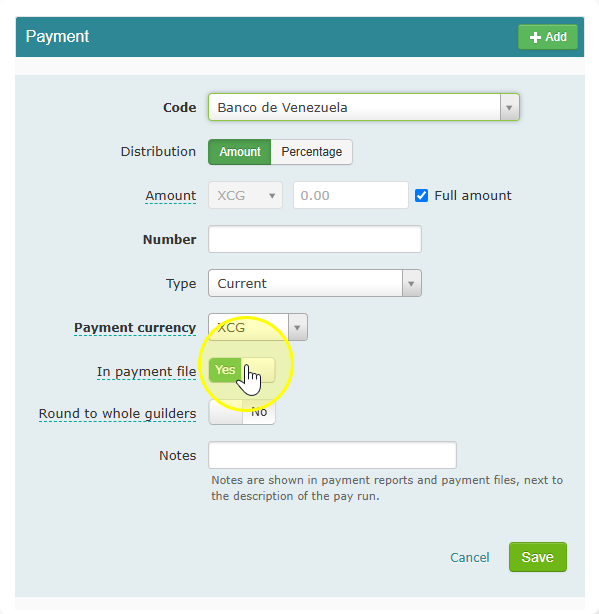
- Go to payment in the Salary of an employee and turn on the In Payment File.
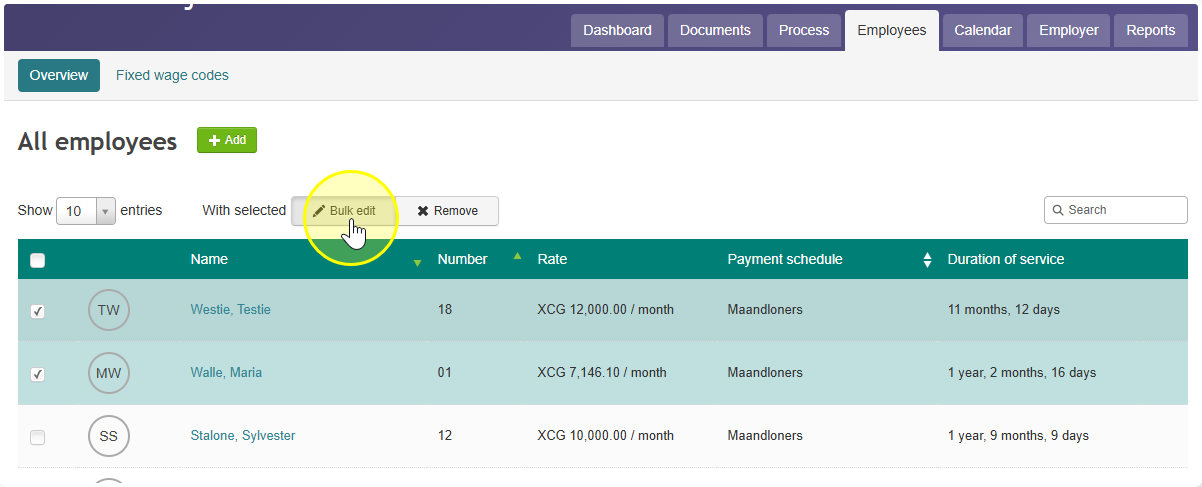
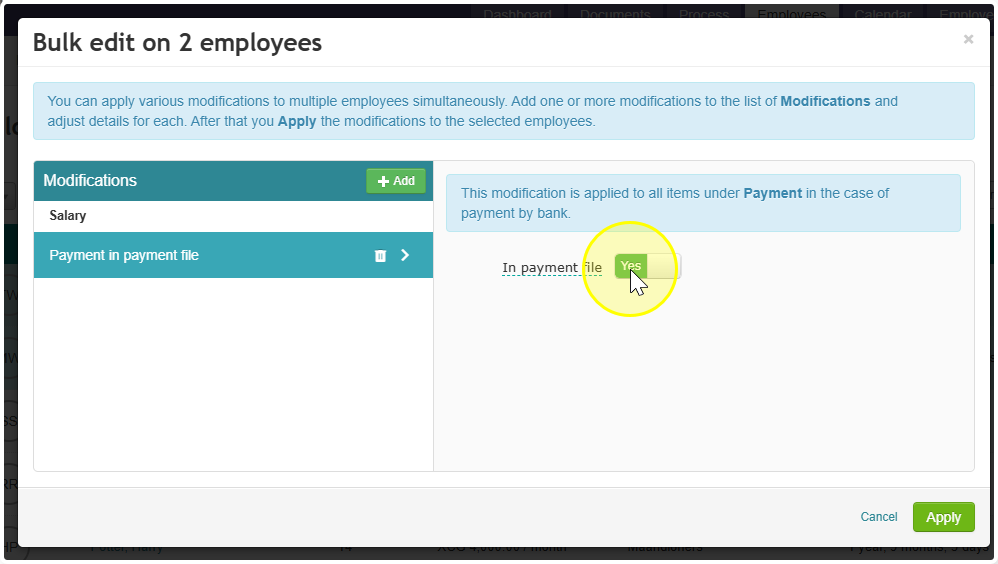
- Update many employees at once (optional). Go to Employees and select some or all employees in the list. A Bulk edit button appears at the top of the list. Use it to switch on “In payment file” for everyone’s net payment in one go.
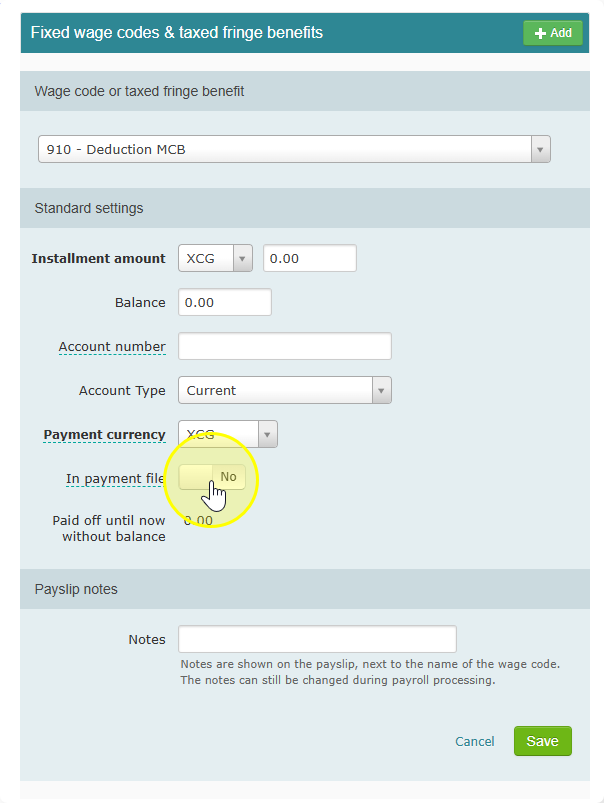
- Check your other deductions. Some deductions also need to go to the bank, such as payments to MCB, BdC, RBC or Island Finance. For each of these, switch on “In payment file” by hand.
- Run the payroll again. Reopen the payroll run, click the blue Update button, and finalize the payroll run again. The missing payments will now be added to the digital payment file.