Setting Up the Basis for Vacation Allowance and Bonus/13th-Month Accruals
It is possible to set the basis for the vacation pay, bonus, and 13th-month salary accruals yourself.
You can set up reservations based on a percentage of:
• fixed salary only
• fixed employee data
• specific wage codes
Option A: Fixed Salary Only
Use this if you want the reservation based only on the salary that was actually paid out.
- Go to the setting where you can choose the basis for the reservation.
- Select "Fixed salary only."
- Save your choice.
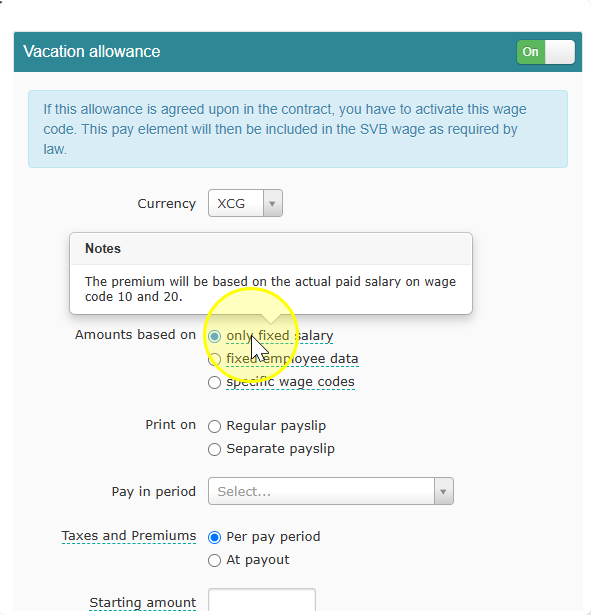
Note: This option uses wage code 10 and wage code 20. If the employee wasn't paid under these two wage codes in a period, that period won't count toward the reservation.
Option B: Fixed Employee Data
Use this if you want the reservation based on the employee's standard details, not on what was actually paid.
- Go to the setting where you can choose the basis for the reservation.
- Select "Fixed employee data."
- Save your choice.
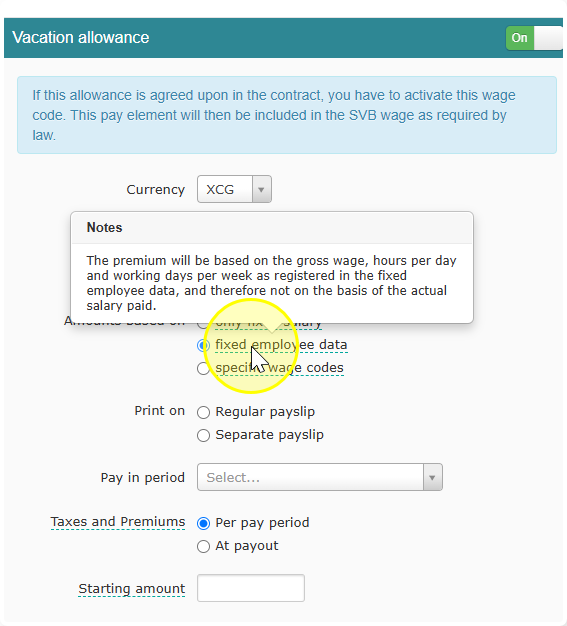
Note: This option uses the employee's gross wage, hours per day, and working days per week, as stored in their fixed employee data. It does not matter what was actually paid out. Even if the real salary changes in a period, the reservation stays based on this fixed data.
Option C: Specific Wage Codes
Use this if you want the reservation based on wage codes you choose yourself.
- Go to the setting where you can choose the basis for the reservation.
- Select "Specific wage codes."
- Select the wage codes you want to use.
- Save your choice.
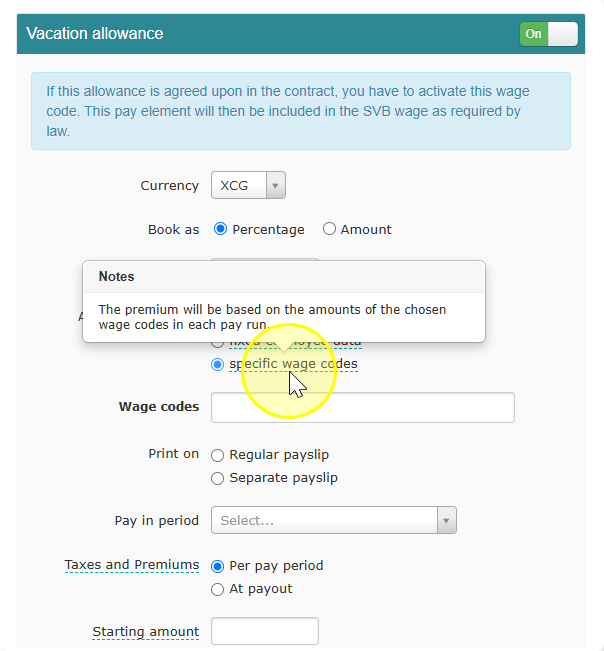
Note: Only the wage codes you select will count. If you leave one out, its amount will not be included in the reservation.