Add APF Pension plan intergration
With the integration for the Algemeen Pensioenfonds Suriname (APF), you can activate a predefined APF pension scheme with its associated settings, apply the APF pension calculation to employees, and generate the official periodic APF declaration in Celery via report P45.
To set up the APF pension scheme integration, follow these steps:
1. Activate the integration under Employer/Integrations/Pension Plans.
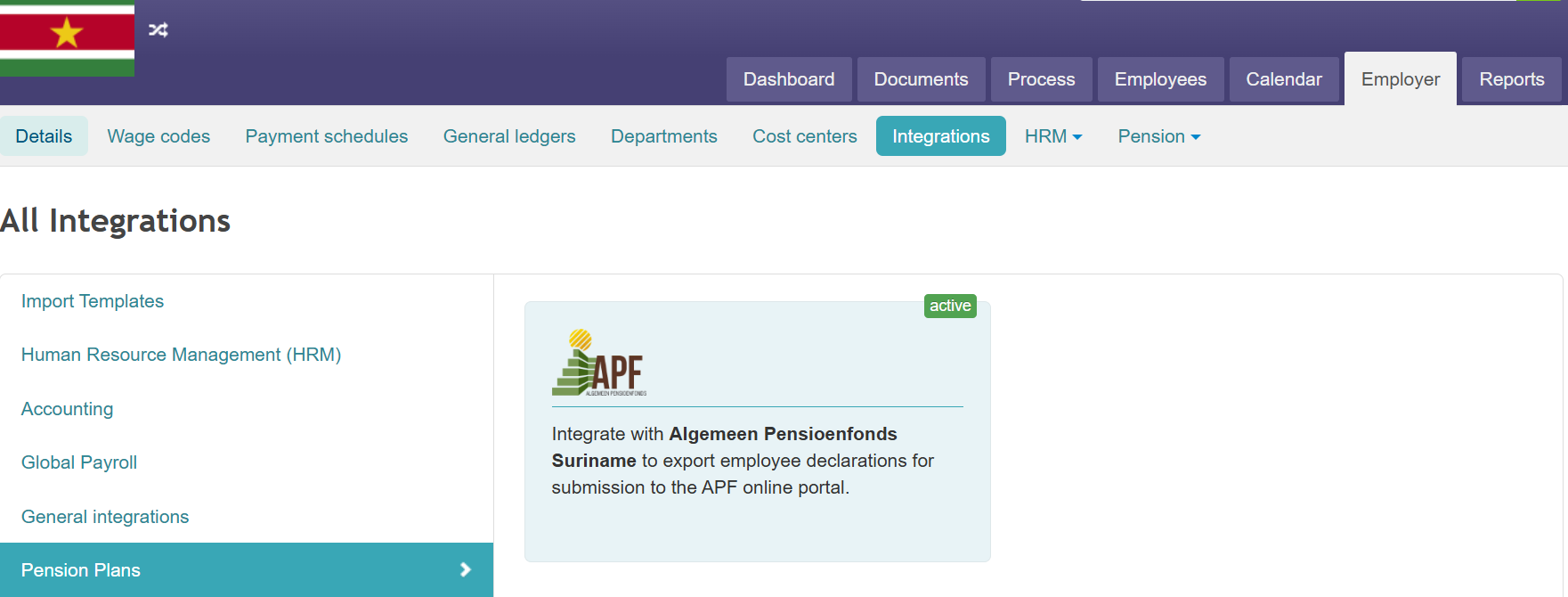
2. Add the APF pension plan under Employer/Pension/Pension Plans/Add APF Plan.

3. Link the employees to this pension scheme.
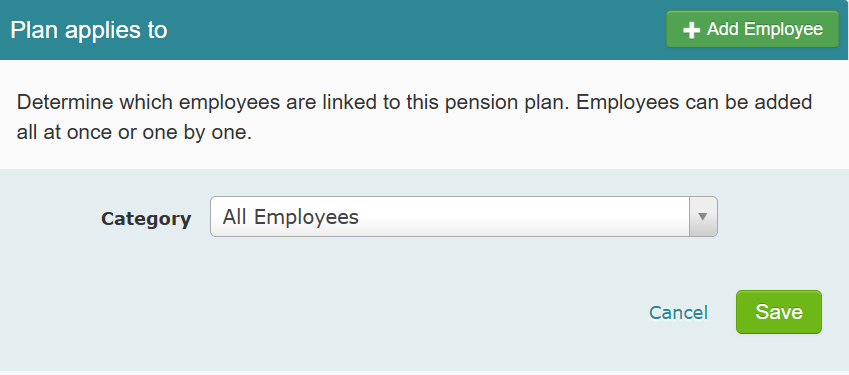
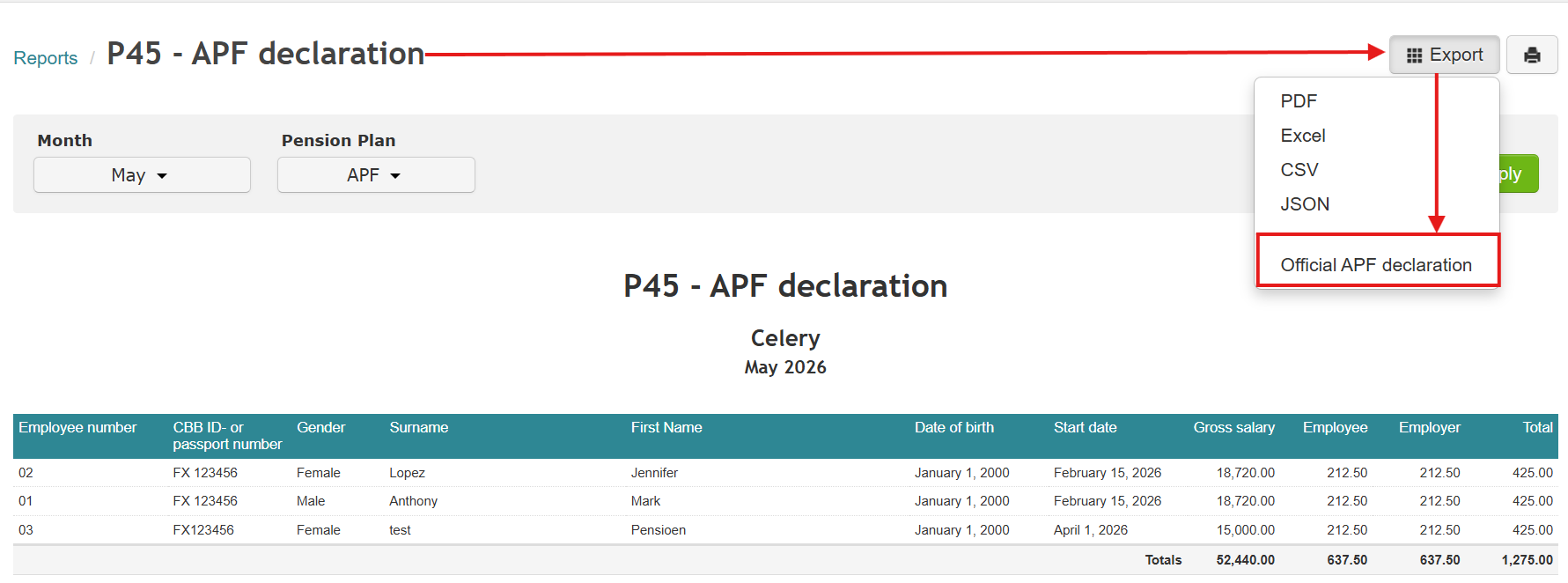
Once the integration has been set up as described, you can generate a CSV file via report P45 after the next completed payroll run, in order to export the official APF declaration, which can then be uploaded to the APF online portal.
What does this integration costs?
The APF integration is available to Celery customers at a fixed rate of USD 25.00 per month. This gives you full access to the integration, fully embedded within your existing Celery environment.