Payroll - step 5: Check your employees' info and fill in what's missing
Celery already brought in a lot of employee data for you. But some things still need to be added or checked by hand. Start by navigating to the Employees tab and selecting the employee’s name. You’ll find all of their information there. Click the Edit button to update existing details or add new information. 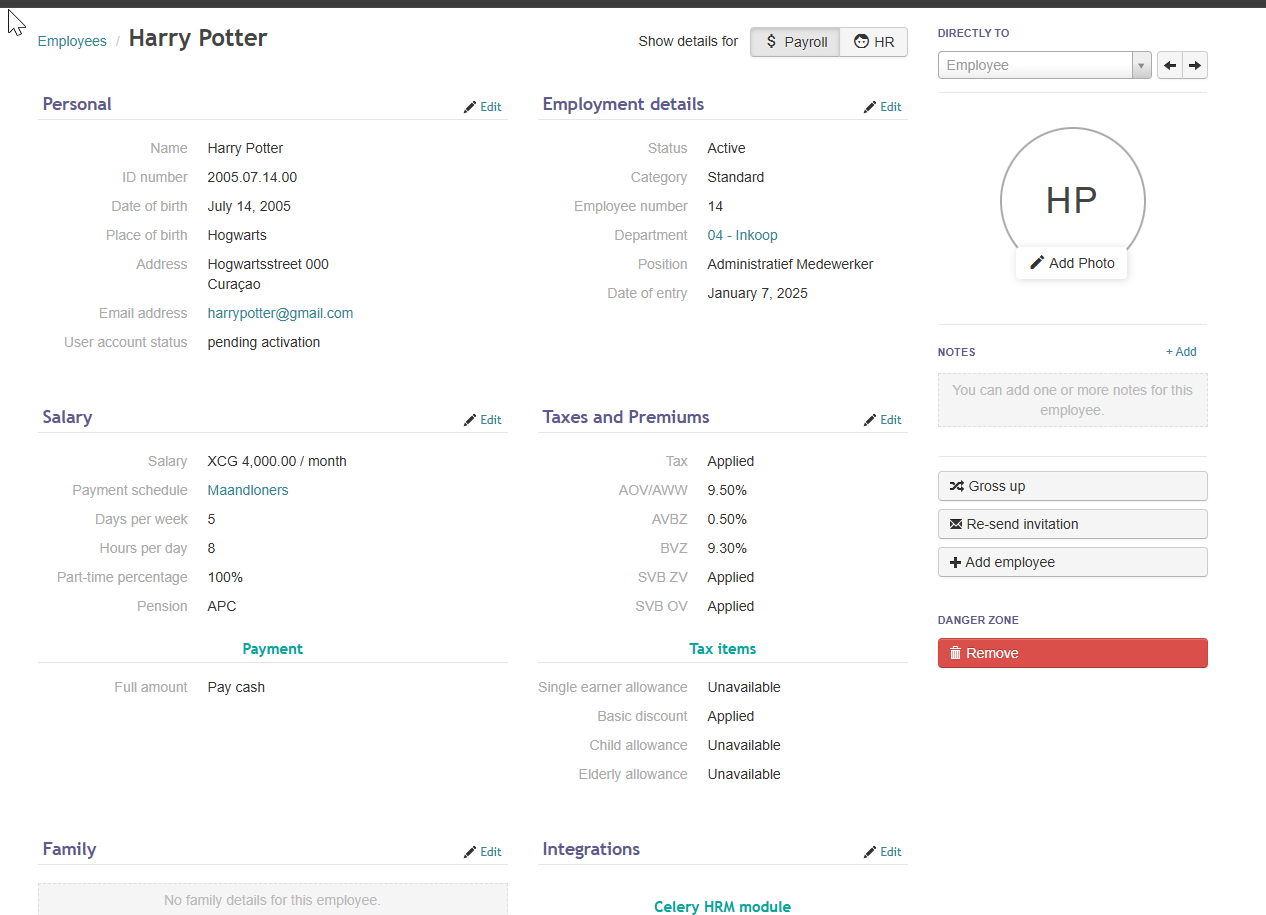
Go through the list below and fill in anything that applies to your employees:
Pay & bonuses
- Does anyone get extra pay on top of their regular salary? Add those amounts here — for example, allowances or bonuses (taxed or not).
- Also add any leftover balances from before.
Last year's earnings
- Use the annual statement from last year to fill in the correct yearly wages.
Children's school info
- Add or update school details for employees' children.
- Regular secondary schools (MAVO, HAVO, VWO) should be listed under "other."
Holiday pay & 13th month
- Set up the vacation pay and 13th month reservations.
- Don't forget to add any balances that are already built up.
Pension
- Add the pension premium if it applies.
Perks with a tax value
- Add things like a company car or work phone. These count as taxable benefits.
Deductions (amounts taken from pay)
- Add any deductions, like loan repayments or payments to other banks.
- Also add the bank account numbers for those other institutions.
Who pays social contributions?
- By default, employer and employee split these costs.
- If the employer pays everything (including the employee's share), set that up here.
ZV insurance (health insurance for work)
- ZV is a type of work-related health insurance.
- Uncheck ZV for any employee who is not covered by it.
- In Curaçao and St. Maarten: ZV only applies if the employee works 5 or 6 days a week.
- In Aruba: ZV can also apply to employees who work fewer days.
Multiple bank accounts
- One bank account is imported per employee.
- If someone splits their pay across multiple accounts, set that up manually here.
Tax benefits
- Check the box for any tax allowances that apply to the employee, such as:
- Single Earner allowance
- Child allowance
- Elder allowance
- Reparation allowance
- Basic discount
- Uncheck anything that doesn't apply.
Once everything looks good, you're ready to move on to the next step!