Why is my wage code with a balance not taking off the full amount?
Most of the time, the balance is almost used up. The system only takes off what is left, so the employee doesn't pay back more than they owe.
What is a wage code with a balance?
- It's a wage code that takes the same amount off the salary every pay period.
- It keeps doing this until a set total (the "balance") is paid off.
- Example: An employee borrows 1.000,00. You take off 250,00 each month until the full 1.000,00 is paid back.
How to check it
- Go to Employees.
- Find the employee and open their details.
- Click Edit salary.
- Go to Fixed wage codes & taxed fringe benefits.
- Open the wage code. Look at two numbers:
- The balance: the total amount that needs to be paid off.
- The amount paid off so far.
- Compare them. If the amount paid off so far is almost the same as the balance, the balance is nearly reached. The system will then only take off what is left.
Example: The normal amount is 500,00, but only 250,00 is still left to pay. The system takes off 250,00 instead of 500,00. This is correct.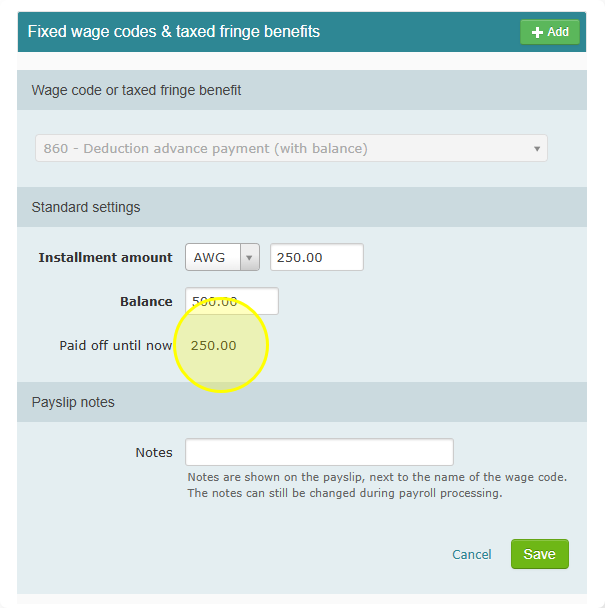
What can you do?
You have two options:
- Leave it as it is. The system takes off the smaller amount that is left. That's the correct amount.
- Raise the balance. If the employee still owes more, increase the balance. The system will then keep taking off the full amount.