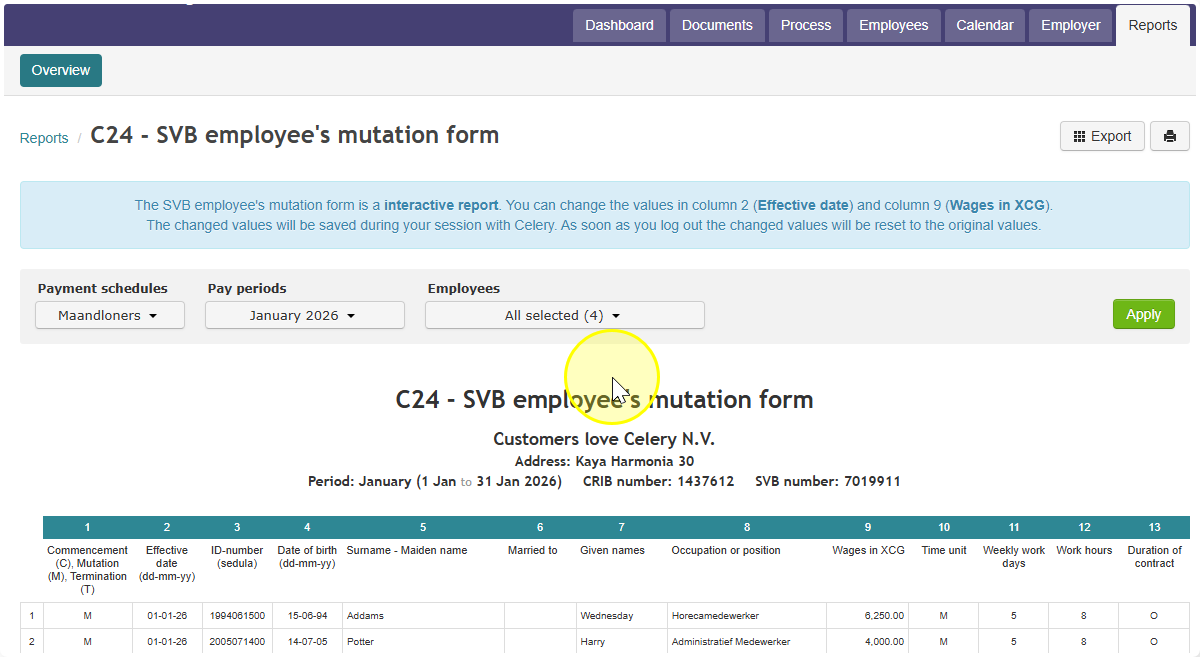
How Hours Are Calculated on the C24 - SVB Employee Mutation Form (Curaçao)
- Find the employee's payment schedule. It will be one of these four: Monthly, Bi-weekly, Half a month, or Quarter.
- Find the hours worked on Wage Code-10. This is the number of hours the employee was paid for.
- Turn this into an average number of hours per week. Use the formula that matches the payment schedule:
- Monthly: Wage Code-10 hours × 12 ÷ 52
- Bi-weekly: Wage Code-10 hours × 26 ÷ 52
- Half a month: Wage Code-10 hours × 24 ÷ 52
- Quarter: Wage Code-10 hours × 4 ÷ 13
- Note: The result is the average number of hours the employee works per week.
- Find the standard number of workdays per week for that employee. This is usually 5 days, but check the employee's salary record to confirm.
- Divide the average weekly hours (from step 3) by the number of workdays per week (from step 4). This gives you the final number: work hours per day.
- Enter this final number into the C24 - SVB form.
Example (Monthly payment schedule)
- Wage Code-10 hours: 165.33
- Step 3: 165.33 × 12 ÷ 52 = 38.1531 hours per week
- Step 5: 38.1531 ÷ 5 workdays = 7.63 work hours per day
Did you find it helpful?
Yes
No
Send feedback Sorry we couldn't be helpful. Help us improve this article with your feedback.