How do I change the balance of a wage code?
Sometimes the amount still left to pay (the balance) on a wage code needs to be changed. Here's how to do it.
Step 1: Open the salary details
Go to the employee. Then click Salary and then Edit.
Step 2: Find the wage code
Look under Fixed wage codes & taxed fringe benefits. Find the code you want to change.
Step 3: Work out the new amount
Take the new balance you want. Add it to the amount in "Paid off until now".
Step 4: Enter the new amount
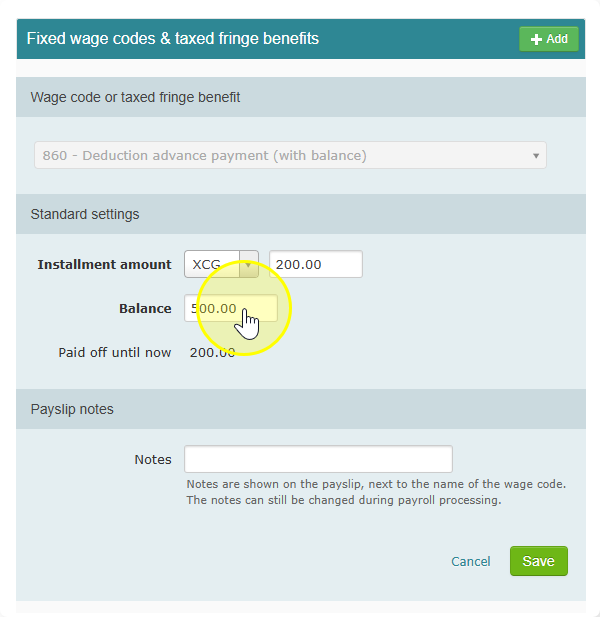
Type the result from Step 3 in the "Balance" field. Then save your changes.
Example
- "Paid off until now" is 200.
- You want the new balance to be 300.
- 200 + 300 = 500.
- So you type 500 in the "Balance" field.
Why do I need to add them together?
The "Balance" field shows the full amount, including what has already been paid. The system takes off what was paid to show what is still left.