When an employee leaves: how to do their final payment (including vacation hours)
When an employee's last day is set, here's what you need to do to pay them correctly. This includes any leftover vacation hours.
The steps below are the usual ones. Your company may need a few extra steps too.
What Celery does behind the scenes: Celery works out the correct social premiums (payments to programs like social security) for the whole year, based on the number of months the employee actually worked. If too much was taken out earlier, that money is given back. If too little was taken out, the rest is deducted now. This way, neither you nor the employee get a surprise tax bill later.
If this creates a small difference in the premiums, you'll see a message in the checklist above the calculation. That's normal it just means the premium amount was adjusted slightly.
Steps to follow
- Enter the last working day.
Go to Employees → Employment details → Edit, and enter the date the employee stops working for you.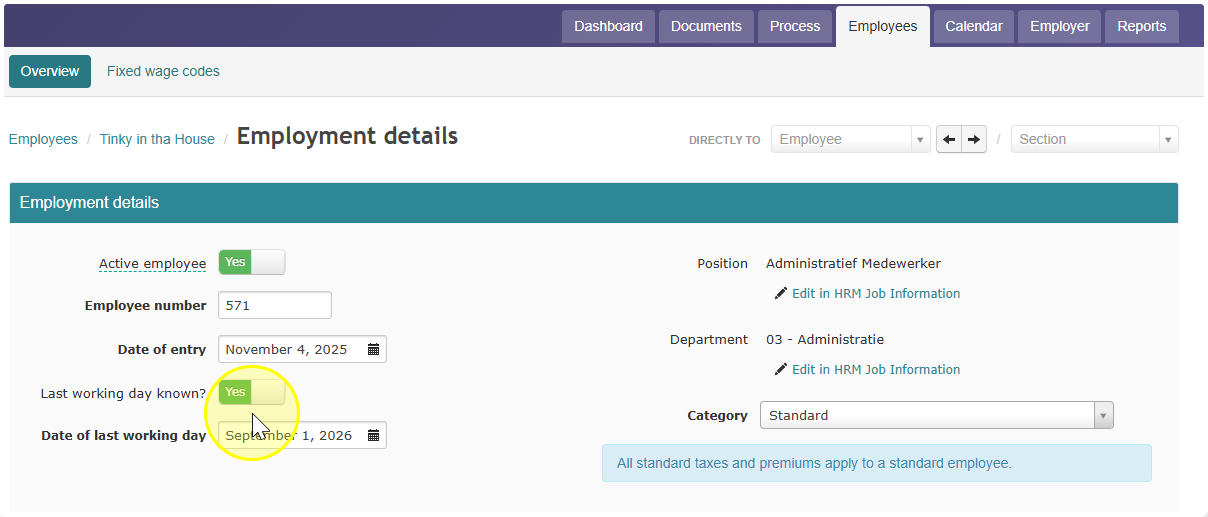
- Update the open payroll run, if there is one.
If a payroll run is already open, update it with the button provided.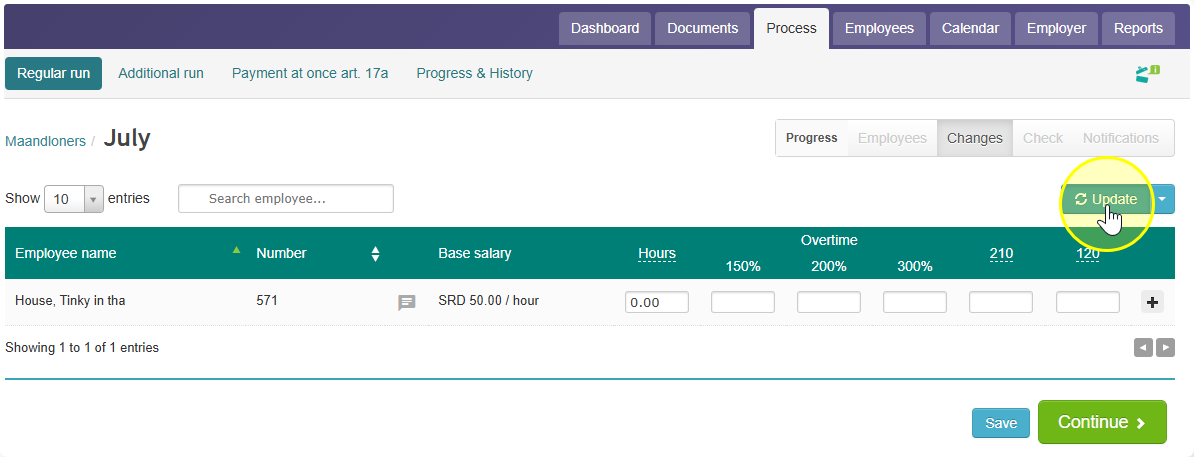
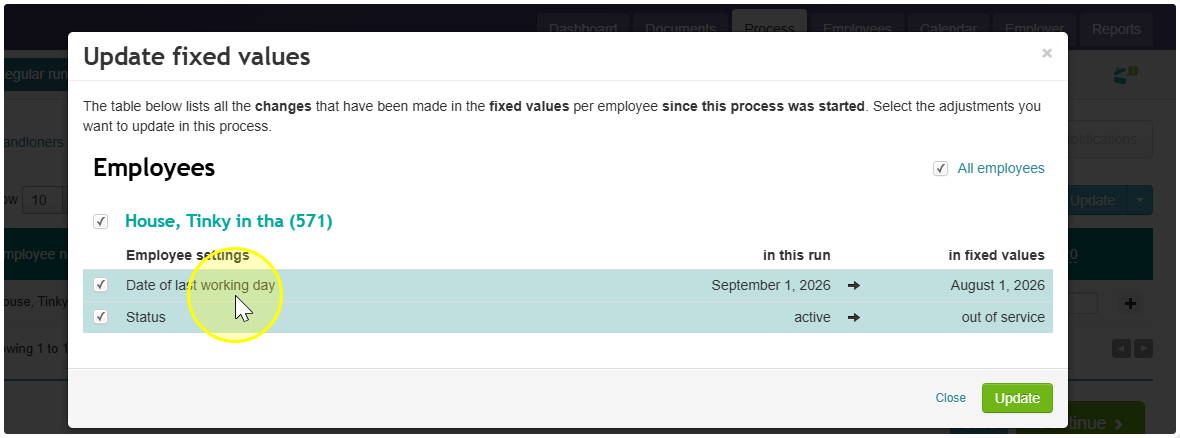
If there's no open payroll run, you can process the employee in the next regular run for the period they leave in. Don't use an extra run for this — the pay always goes through the standard run. - Enter hours worked and days to be paid.
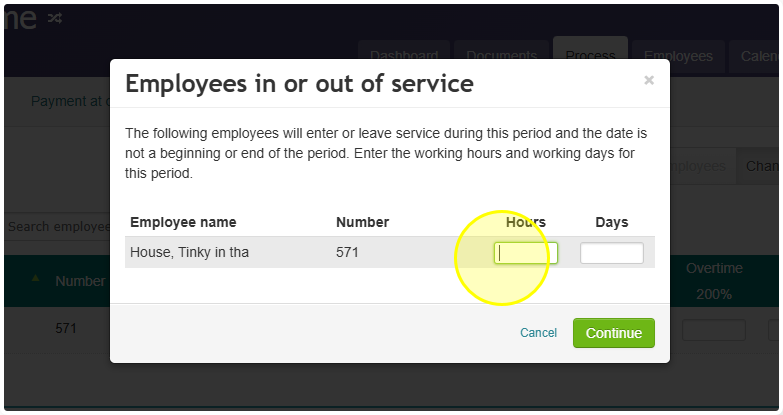
- Pay out unused vacation hours.
Use wage code 130 to pay out vacation hours the employee didn't use.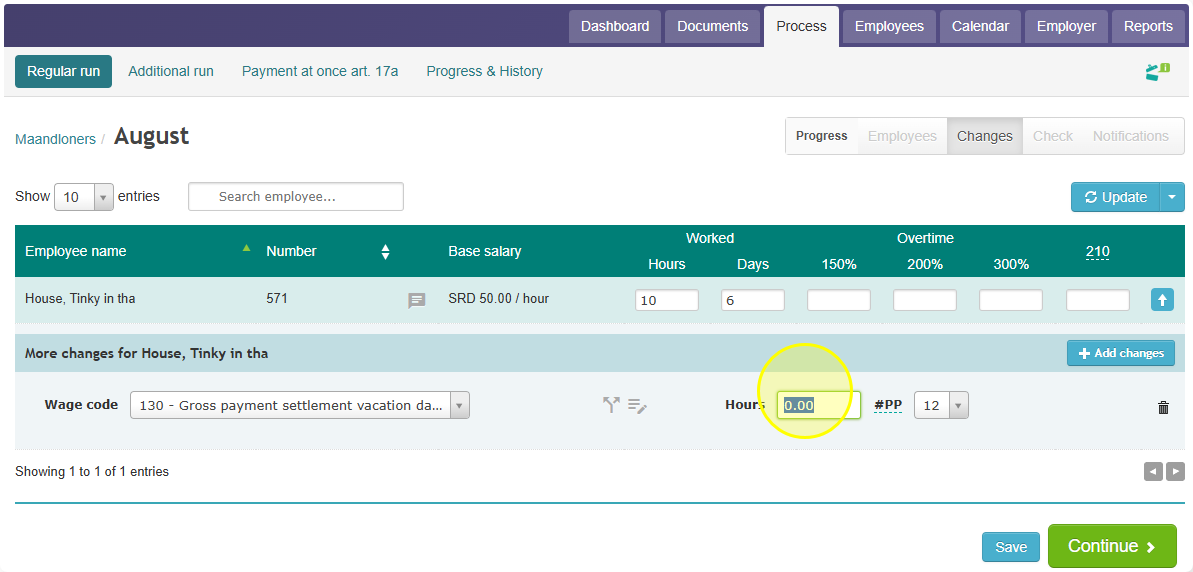
If the employee took more vacation hours than they'd earned, use wage code 250 to settle the difference.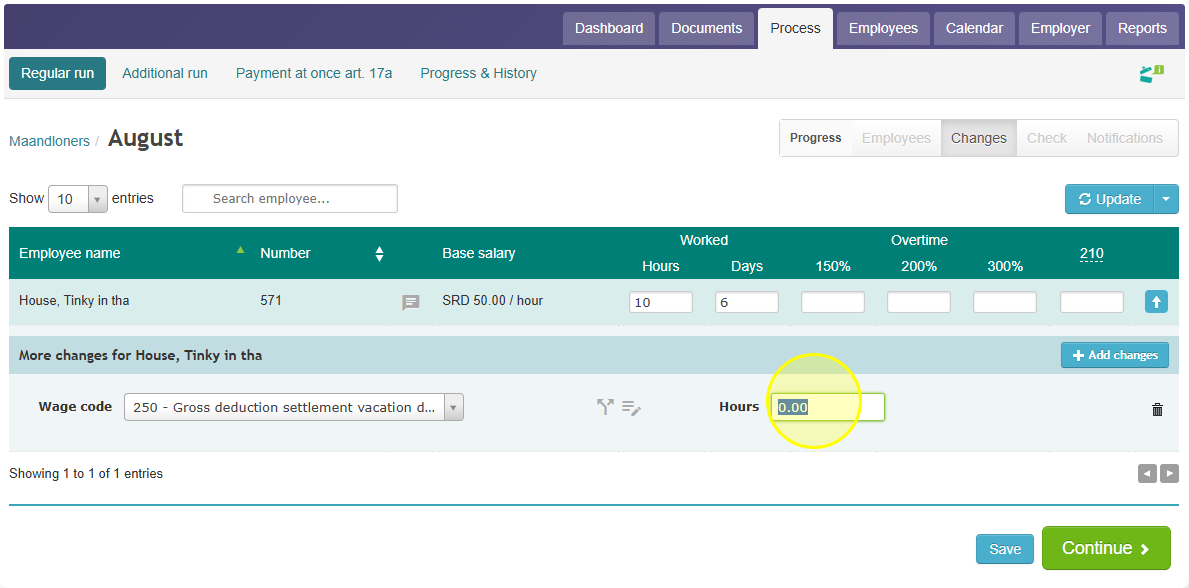
- Pay out holiday pay and/or 13th month, if applicable.
If Celery is already keeping track of holiday pay or the 13th month payment, it can pay these out automatically.
Otherwise, enter them manually:- Wage code 35 – one-time holiday pay
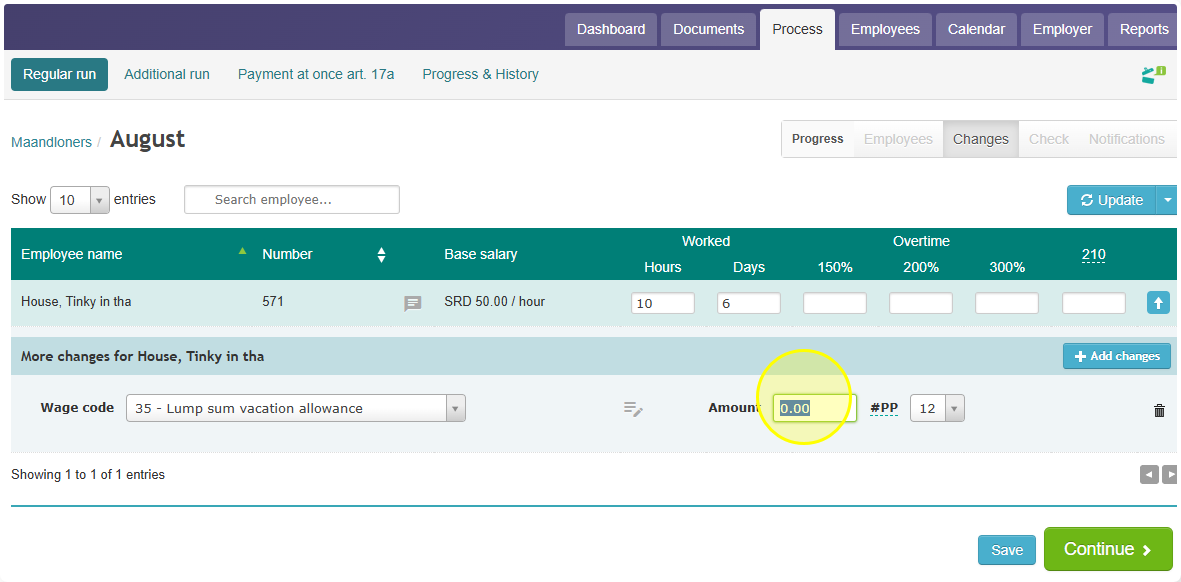
- Wage code 45 – one-time 13th month payment
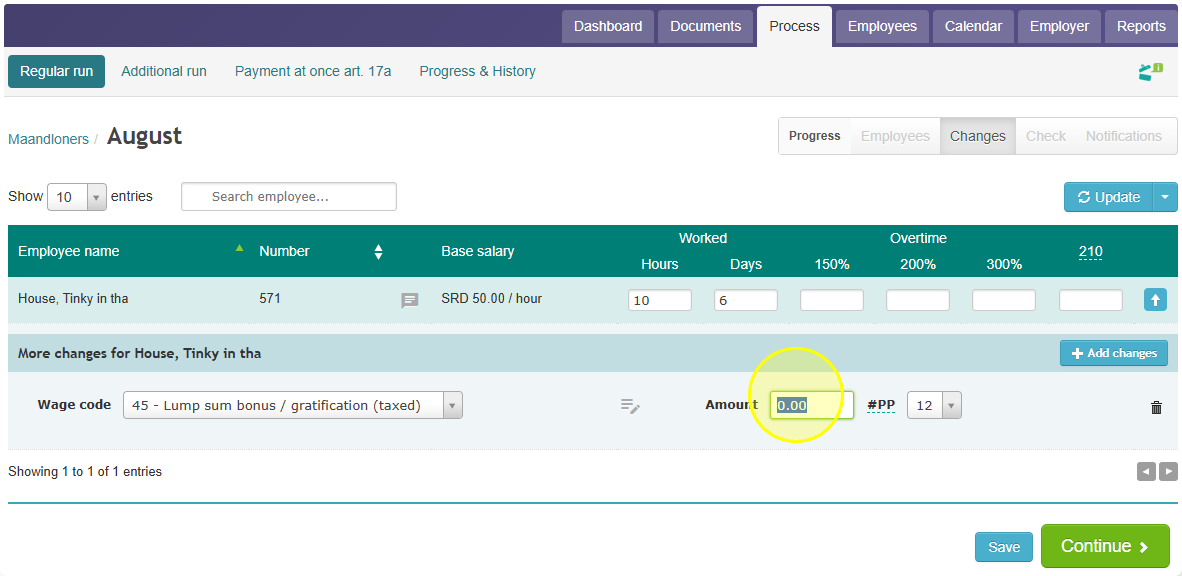
- Wage code 35 – one-time holiday pay
- Add any other payments or deductions.
You can also process things like: severance pay, a Cessantia payment, other benefits, study costs, commission, year-end bonus, or profit-sharing — all in the same open payroll run.