Setting Up a Payment Schedule
A payment schedule tells the system how often an employee gets paid. It can be weekly, bi-weekly, twice a month, or monthly.
- To create a new payment schedule, go to Employer, then click Payment Schedule.
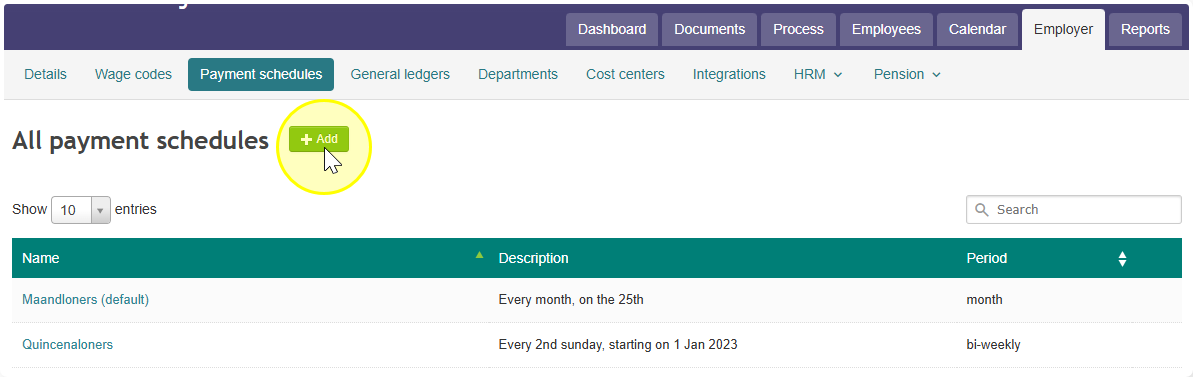
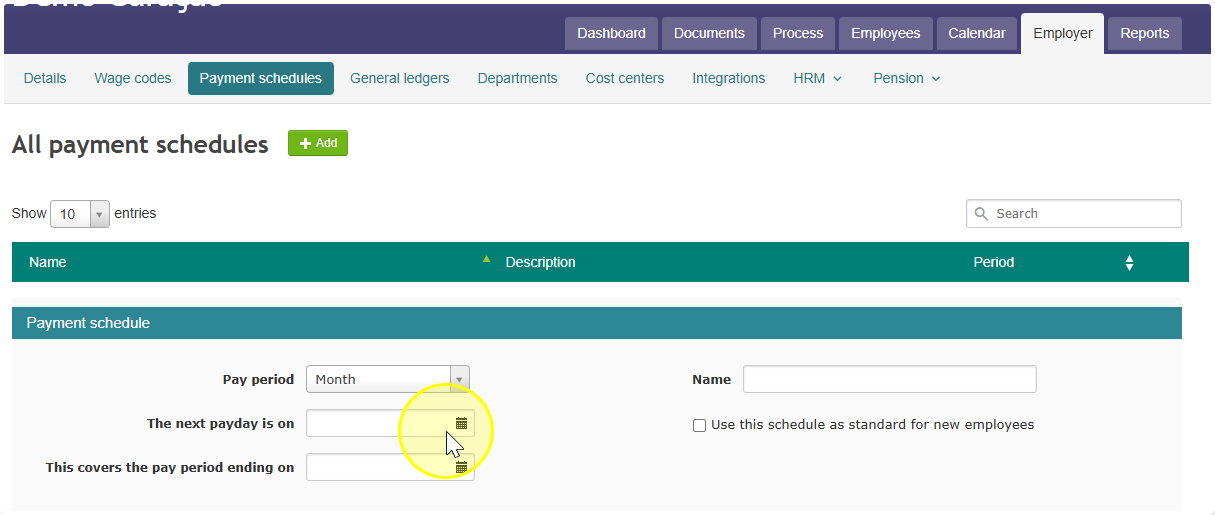
- Add your new schedule here with the details you want (for example, how often it repeats).
- Note: this schedule won't apply to anyone until you attach it to an employee. That's the next step.
- Note: this schedule won't apply to anyone until you attach it to an employee. That's the next step.
- To assign the schedule to an employee, go to Employee, then click Salary, then click Payment Schedule.
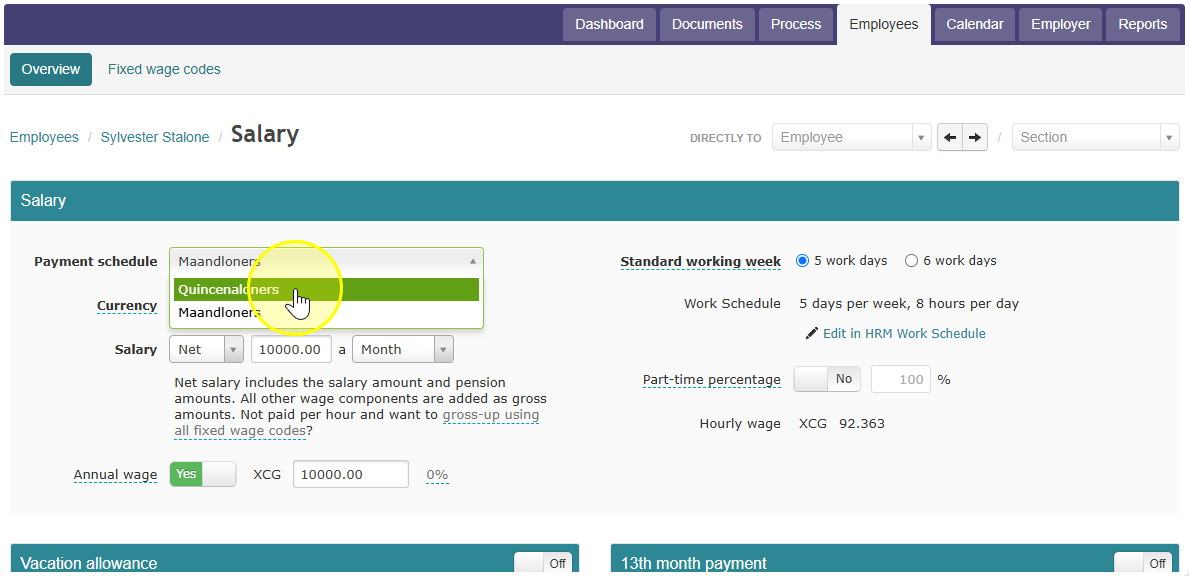
- Select the payment schedule you created and save it. The employee will now be paid according to that schedule.