HRM - Setting Up Public Holidays
Before you start, make sure your leave plans are already created. Once you have a leave plan, you need to link public holidays to it. This way, Celery knows which days to skip when it counts how many leave hours an employee uses.
How to set it up — step by step:
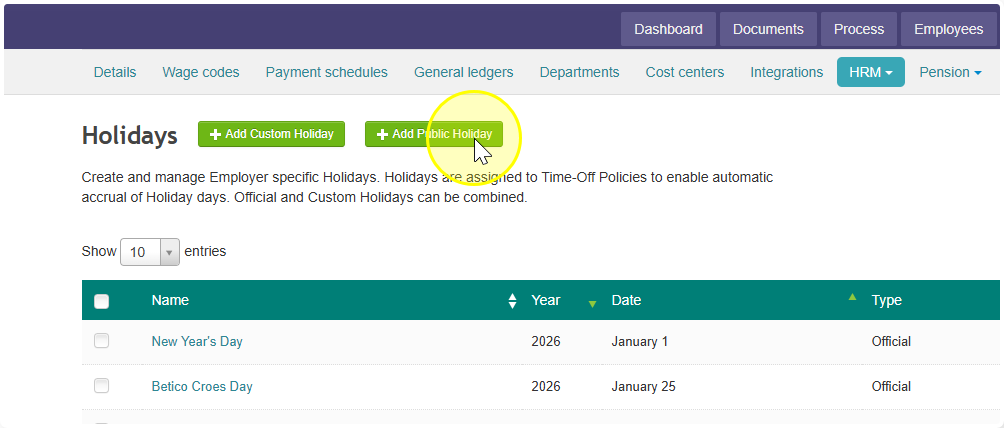
- Go to Employer → HRM → Holidays
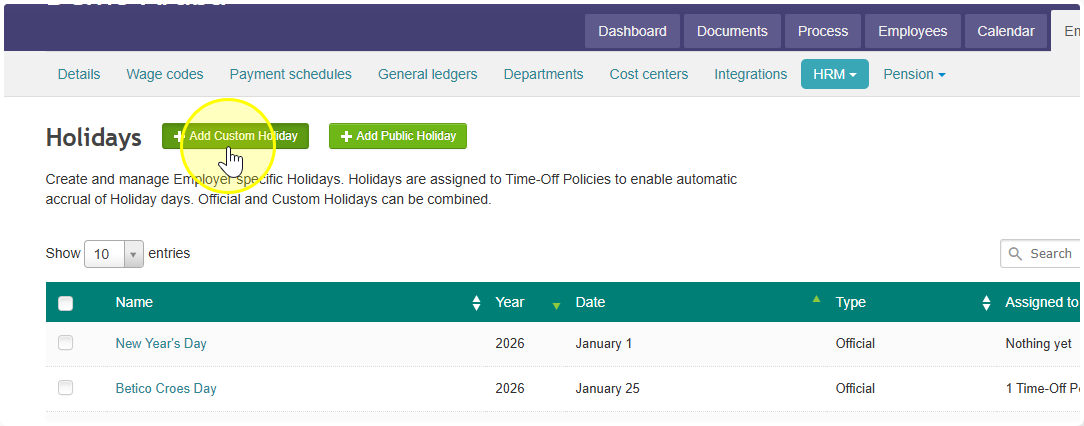
- Click Add Public Holiday
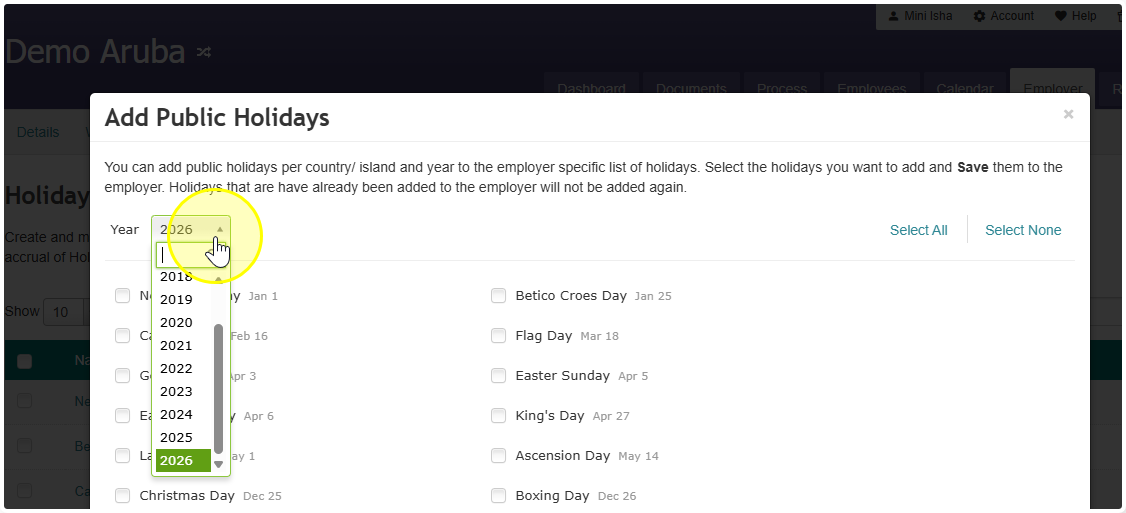
- Pick the year you want
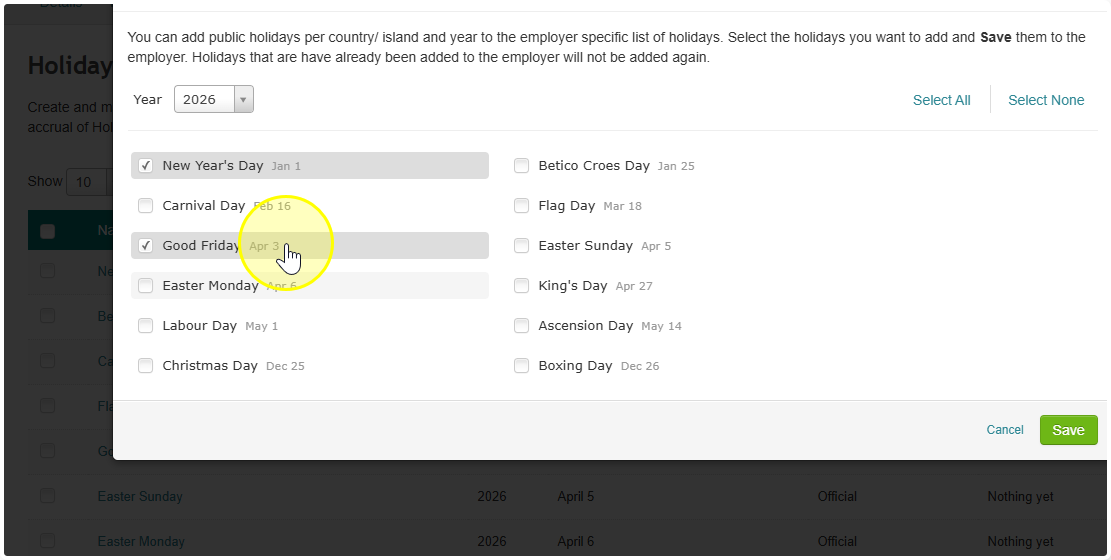
- Select the holidays you want to include (you can pick all of them or just some)
- Select all the holidays, then click Save
- Select the holidays and then click on Assign
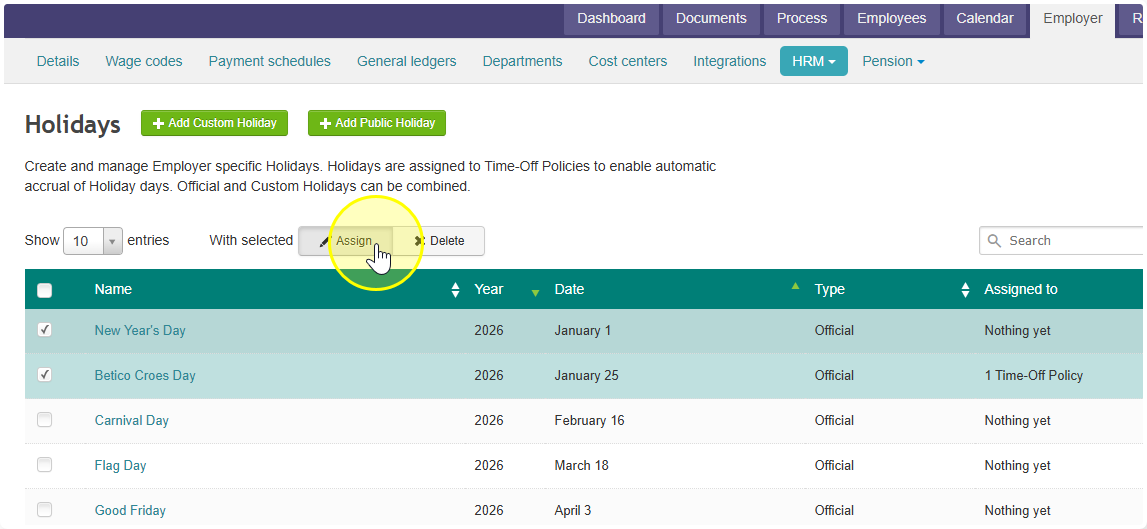
- Add leave plans, then click Assign again
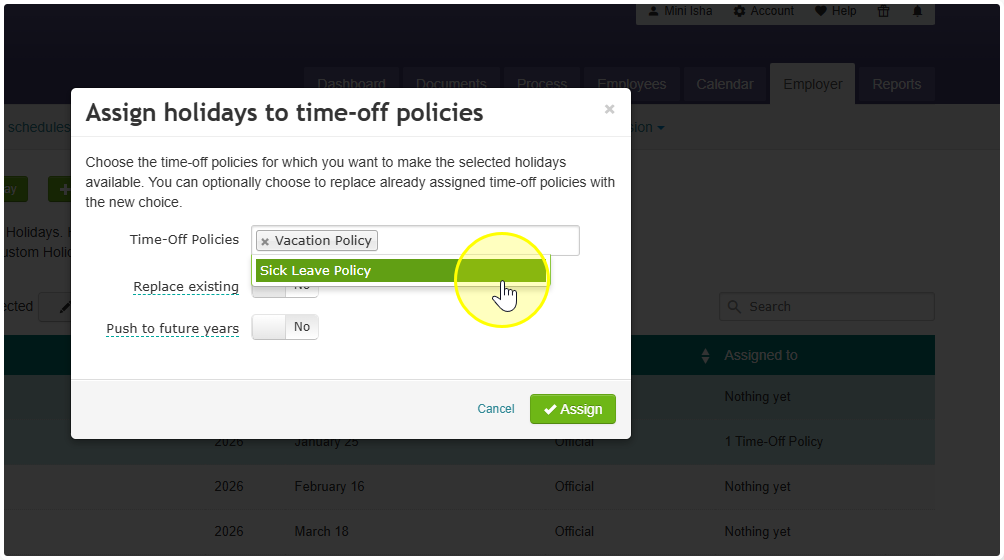
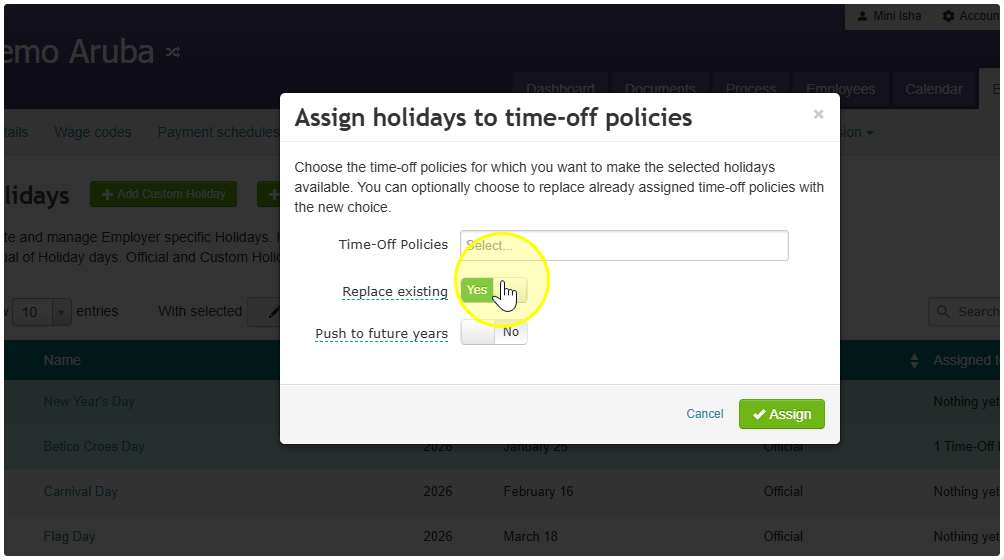
If you've done this before for the same year, choose Replace instead of Assign.
That's it! Celery will now automatically skip those holidays when calculating leave.
A few extra things to know:
- You can also add your own custom holidays — not just official ones.
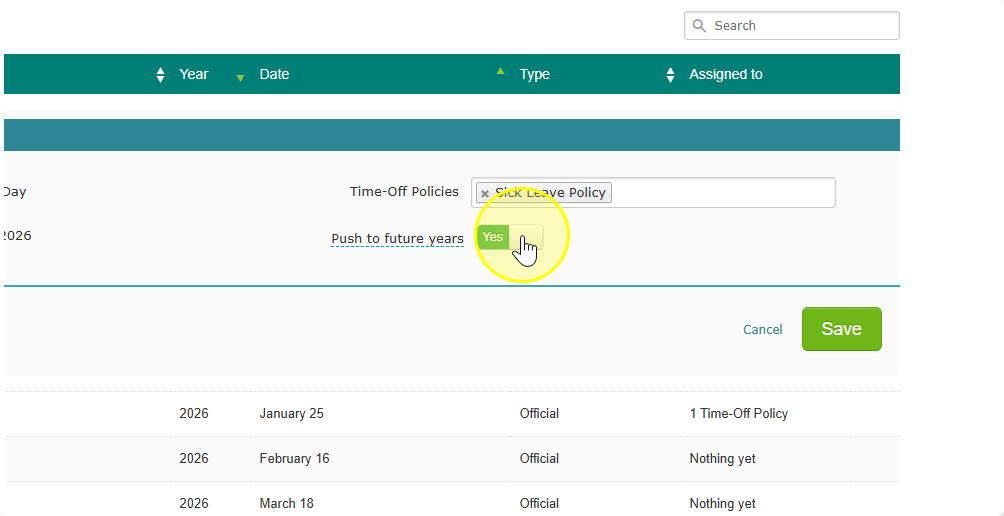
- Want this to apply to future years too? Turn on Push to future years. Celery will then link the same holidays to the same leave plans automatically going forward.