Why the "Process" Button Is Grey
- Check if you have any open invoices that are older than 30 days. In account under Account Information.
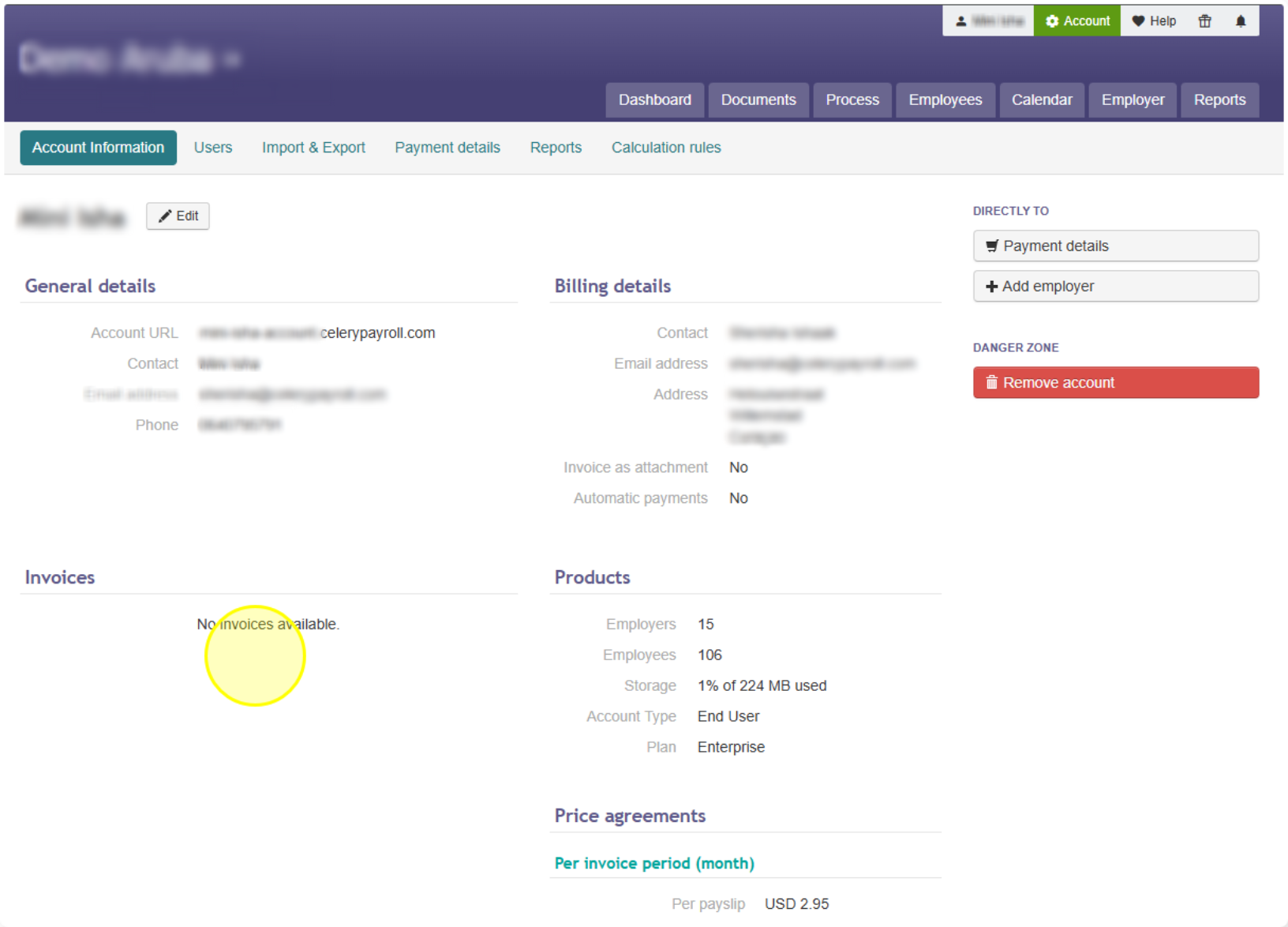
Note: Our payment term is 14 days, so an invoice older than 30 days means the payment is overdue. This is most likely why the "Process" button is not available. - If you find an overdue invoice, pay it using one of these three ways:
- Bank transfer
Pay the invoice through your bank as usual. Your account will be reactivated automatically once we see the payment arrive in our bank account. This can take a few business days. - Credit card
Pay by credit card if you need your account reactivated right away. Note: This is the fastest option — your account is reactivated immediately after the payment goes through. - Bank transfer + proof of payment
If you already paid by bank transfer but don't want to wait for it to arrive in our account, send us proof of payment (for example, a screenshot or PDF of the transaction). We will then reactivate your account manually.
- Once your account is reactivated, check the "Process" button again.
Note: It should now be clickable. If it's still not available, contact us so we can look into it further.
Did you find it helpful?
Yes
No
Send feedback Sorry we couldn't be helpful. Help us improve this article with your feedback.