How to Remove a Closed Pay Run
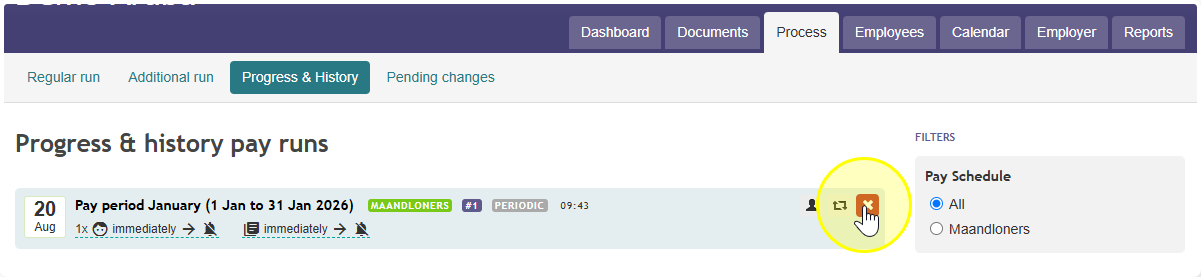
- Click on Process.
- Click on Progress & history.
- Find the pay run you want to remove, and click on it to select it.
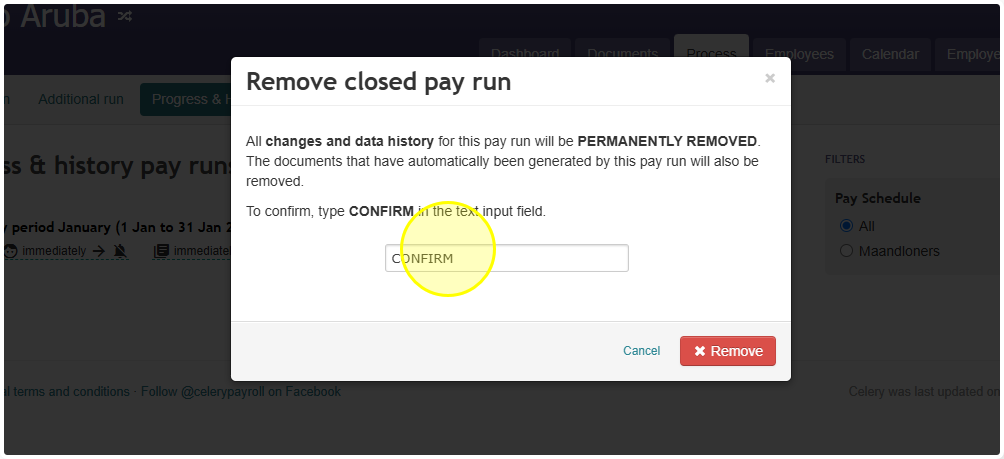
- On the right side of your screen, click the red Remove closed pay run button.
Did you find it helpful? Yes No
Send feedbackIf you have question which are beyond this knowledgebase kindly contact us