Two groups, different pay periods - how to fix the dates on pay slips
Good news: this is easy to fix. Here's what to do.
The idea: Set up a separate "payment schedule" for each group. A payment schedule is just a setting that tells the system which dates to use.
Steps:
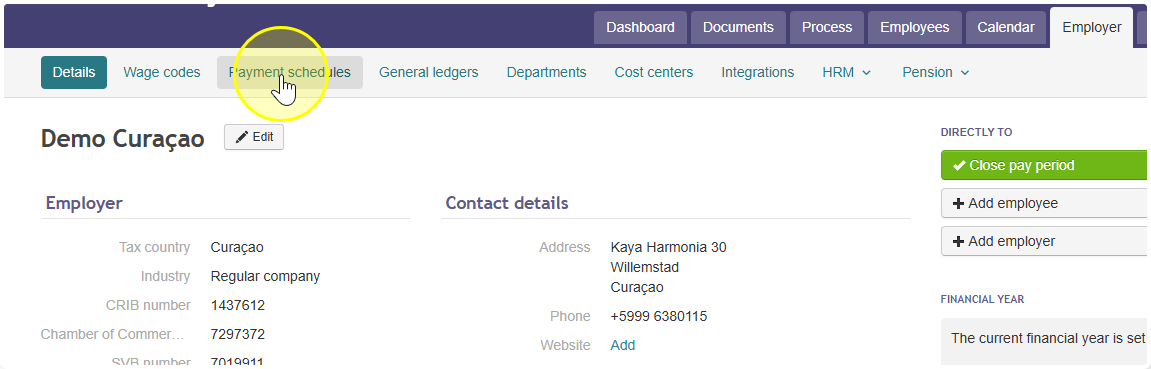
- Go to Employer → Payment Schedules.
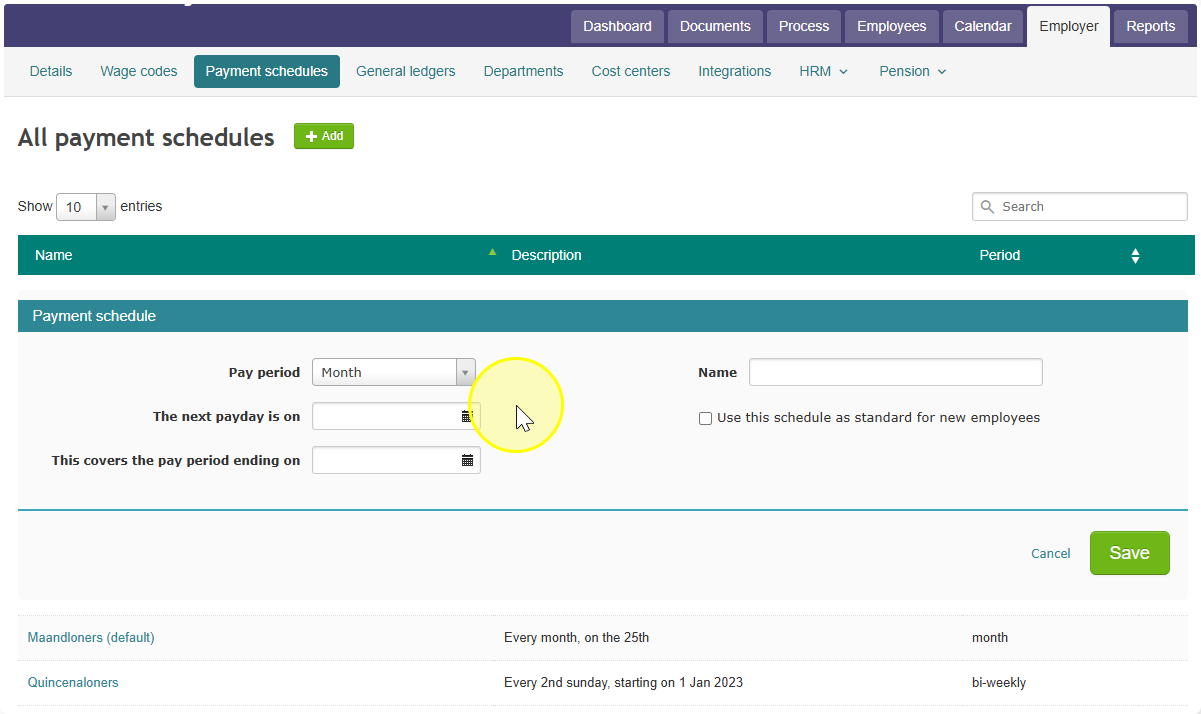
- Create one schedule for each group. For example:
- "Monthly wages fixed"
- "Monthly wages per hour"
- For each schedule, fill in the correct start date and end date for that group's pay period.
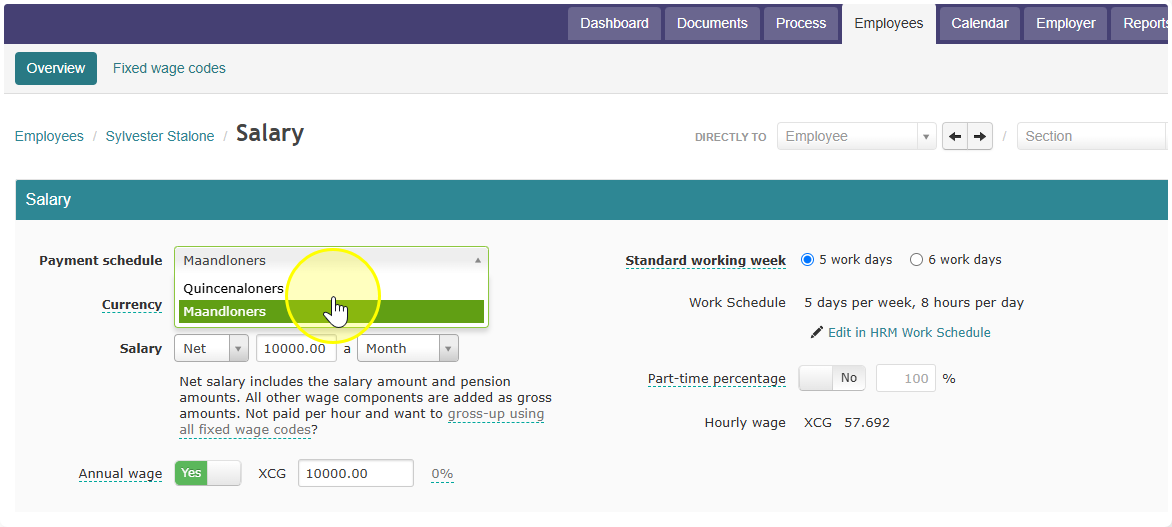
- Go to each employee's profile and link them to the right schedule.
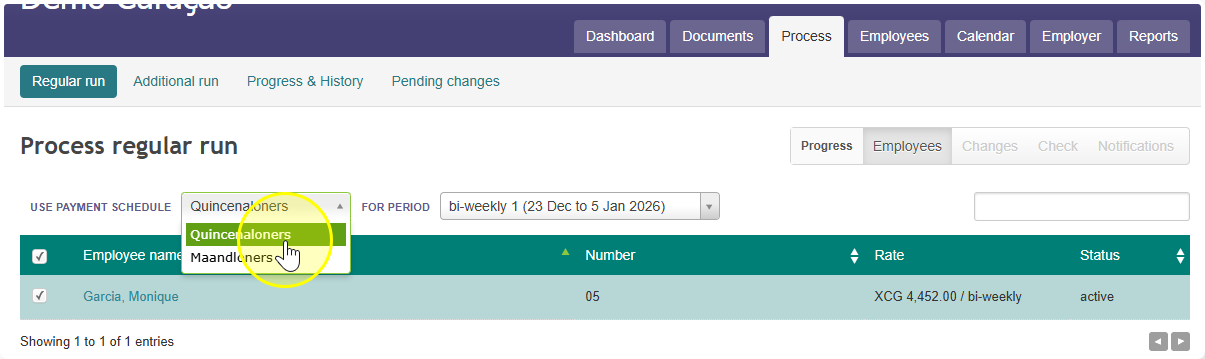
- When it's time to pay people, run payroll separately for each schedule — don't combine them into one run.
That's it. Once each employee is linked to the right schedule, their pay slips will automatically show the correct dates.
One thing to watch out for: because you now have two schedules, you'll need to do two separate pay runs each time — one per group — instead of just one for everyone.