Add a New Employee to an Already-Open Pay Run
- Go to the open pay run.
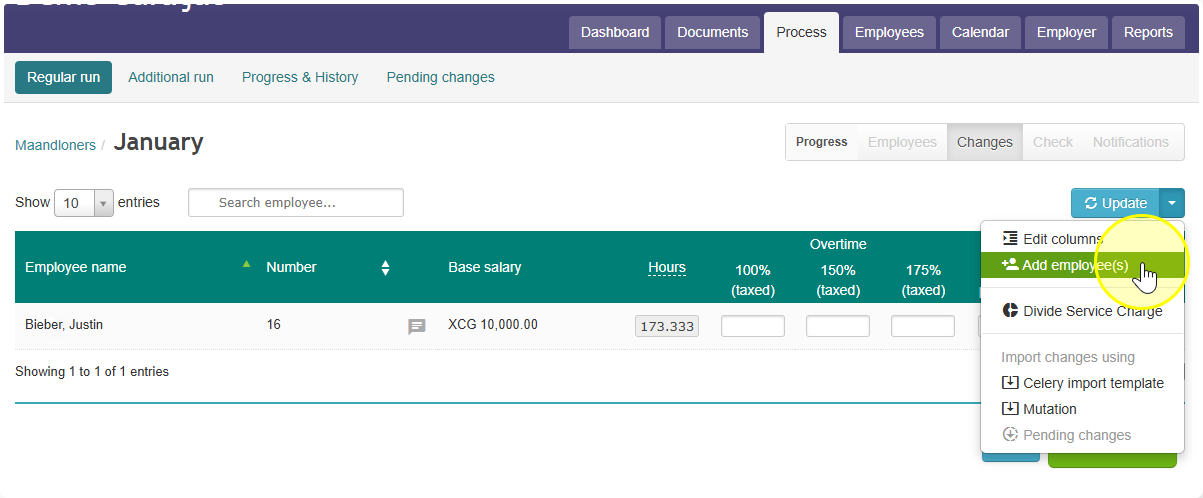
- Find the pull-down menu next to the Update button, and click it to open it.
- Look for the button called Add employee. This shows employees who are not yet part of this pay run.
- Find the name of the employee you want to add in that column. Click the green arrow next to their name.
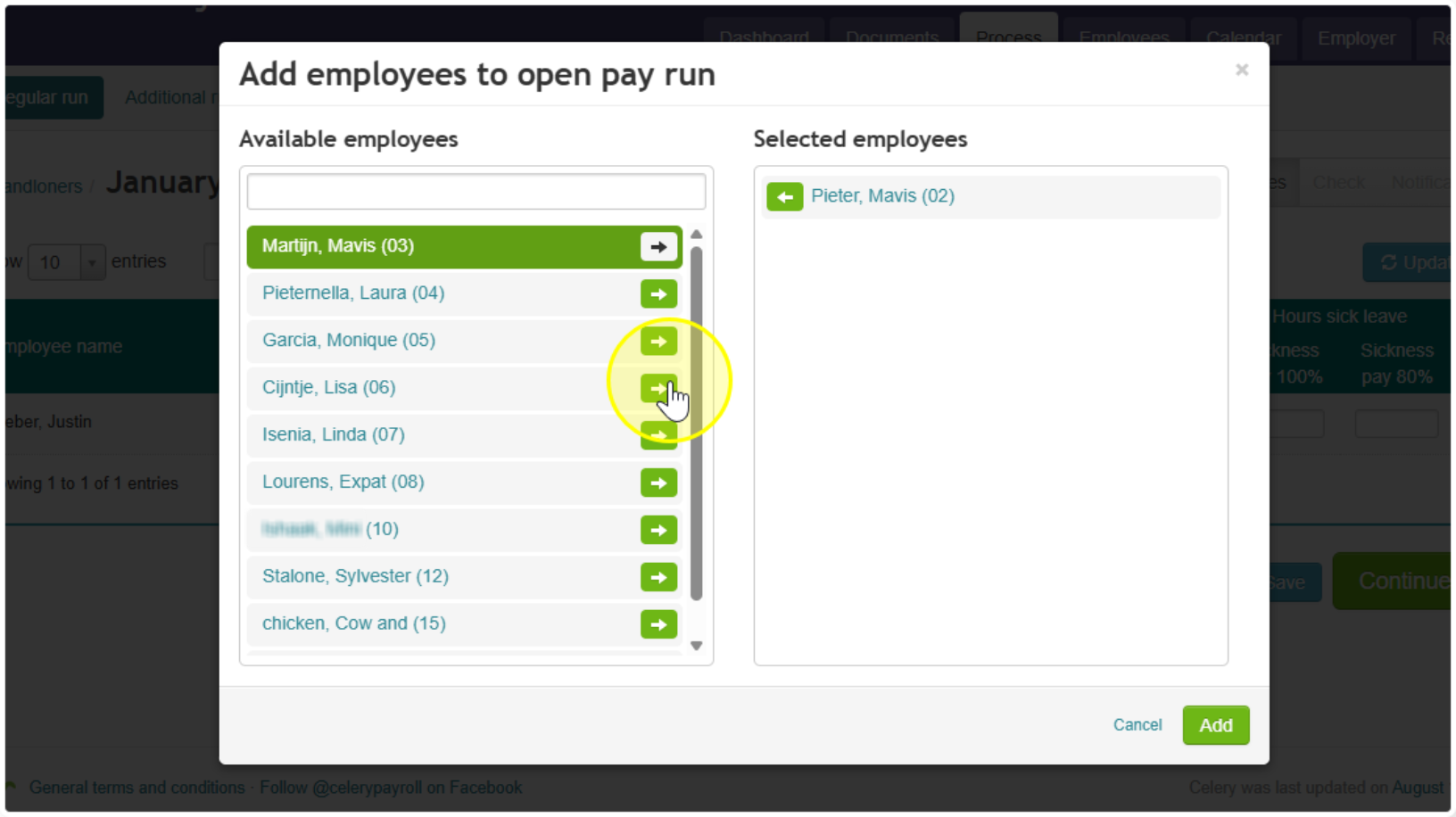 Note: this moves the employee from "Available Employees" to the other column.
 - Check that the employee's name now appears in the Selected employees column.
- Click the green Add button.
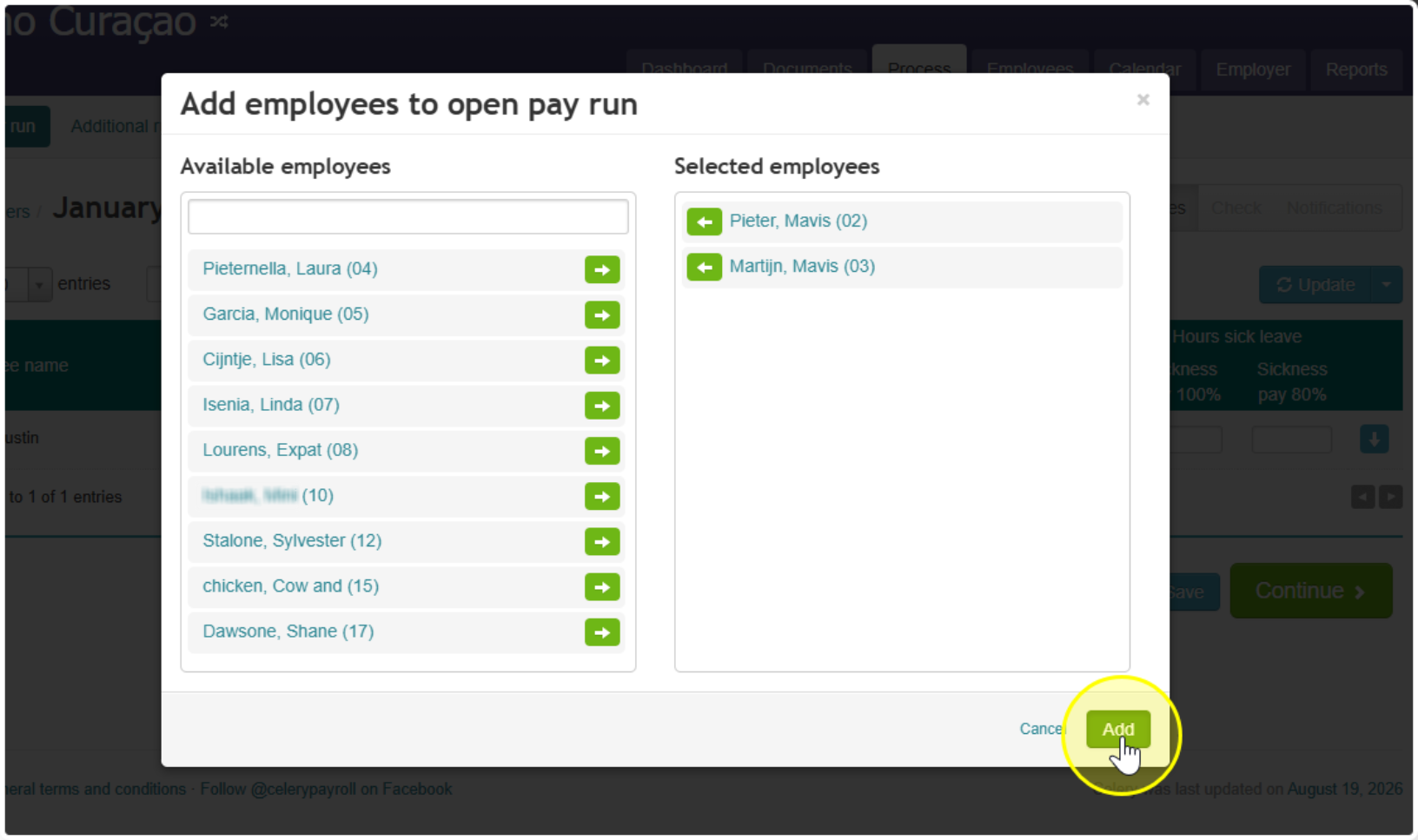 Note: this saves your change and adds the employee to the pay run. If you skip this step, the employee will not be added.
Did you find it helpful?
Yes
No
Send feedback Sorry we couldn't be helpful. Help us improve this article with your feedback.