Wage code 111: Severance pay with special tax rate ruling
Use wage code 111 for severance pay when the Tax Authorities have sent you a letter with the tax and premium amounts. You type in these amounts yourself. Celery then uses your amounts instead of calculating them.
What is wage code 111?
- Its standard name is Severance pay (special tax rate ruling).
- Severance pay is money an employee gets when their job ends.
- A special tax rate ruling is a letter from the Tax Authorities. It tells you how much wage tax and social premiums to take off.
- You can copy (duplicate) wage code 111 and give the copy a different name.
When do you use it?
Use wage code 111 when:
- You make a severance payment, and
- You have a letter from the Tax Authorities that tells you the amounts for wage tax and social premiums.
How do you use it?
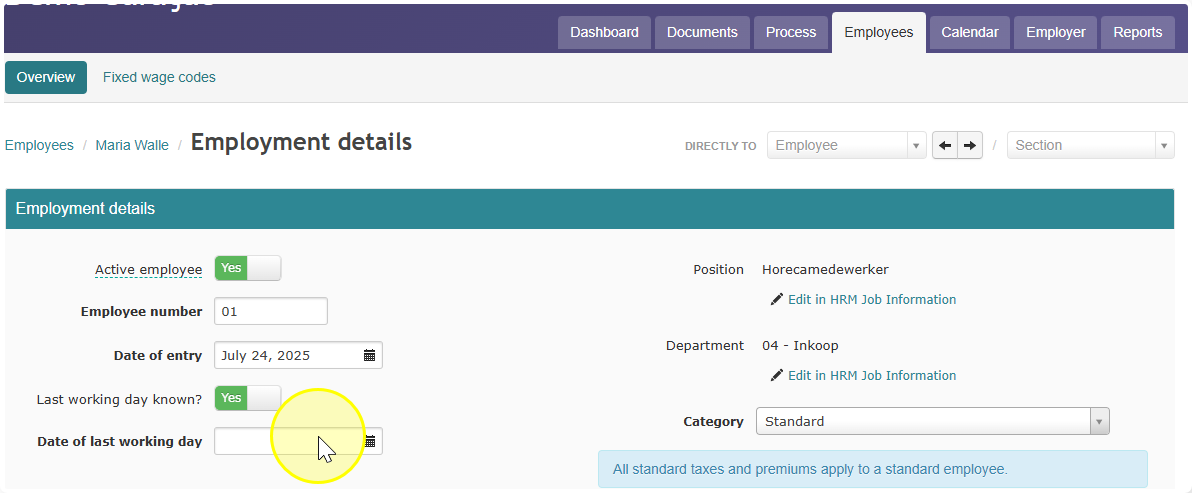
- Go to the employee details and add a last working date.
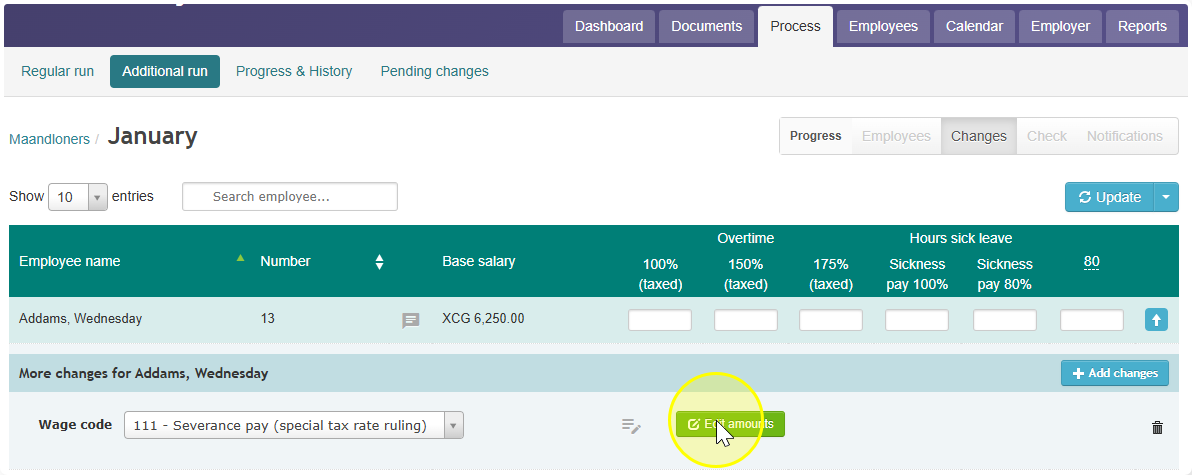
- Go to Process click Additional run. (An additional run is an extra payroll run, outside the normal monthly run.)
- Choose wage code 111.
- Enter the wage tax and premium amounts from the letter.
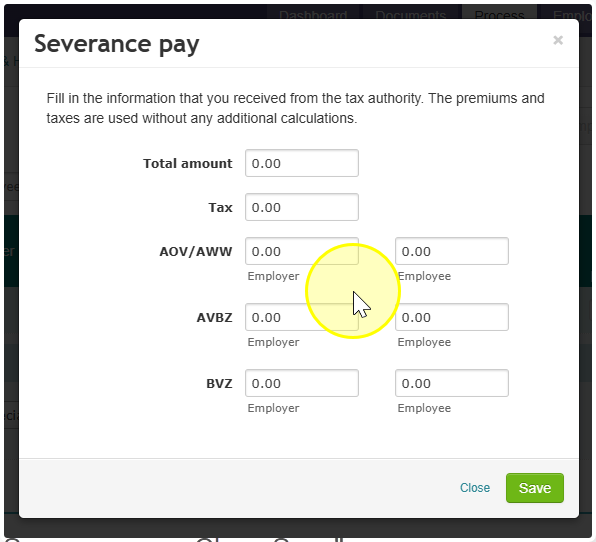
Celery does not calculate the wage tax and premiums itself. It uses the amounts you enter.
Note: Wage code 111 only works in an additional run. You can't use it in a normal payroll run.
Can you use it for other corrections?
Yes. Wage code 111 isn't made for this, but you can use it to correct wage tax and social premiums by hand.
Where do the amounts show up?
The amounts you enter are included in:
- Wage tax returns
- Verzamelloonstaten (the yearly overview of all employees' wages)
- Annual documents: Loonopgaven and Loonbelastingkaarten (yearly wage and tax statements per employee)