Grossing-up in Celery
Grossing-up means calculating how much gross salary is needed to pay out a specific net amount. So you start with the amount the employee should receive, and work backwards to the gross amount from which tax and contributions are deducted.
This can be done in 2 ways:
Option 1: Gross-up the employee's regular salary
You can only use this if there is no open wage run.
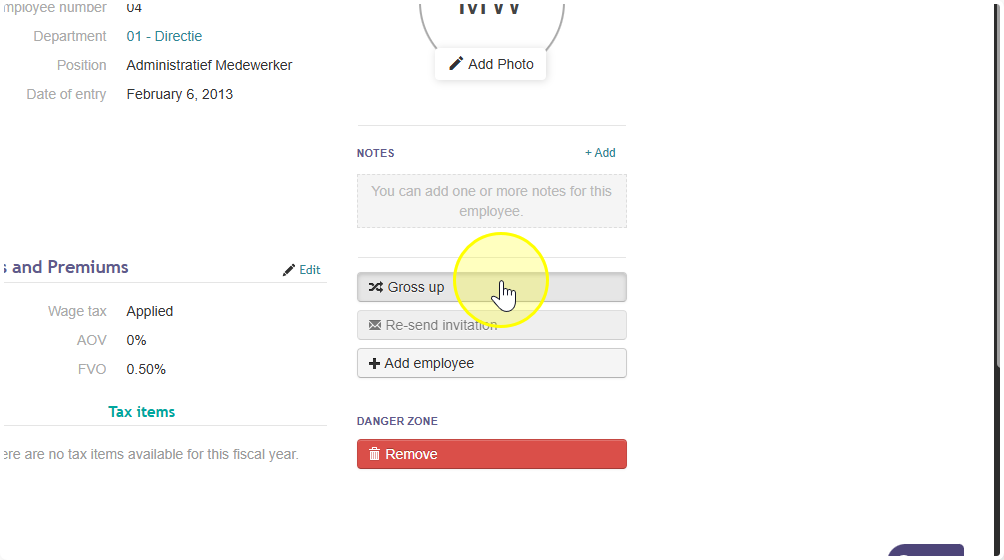
- Go to the employee's tab and click on the employee.
- Look on the right side of the screen for the gross-up button.
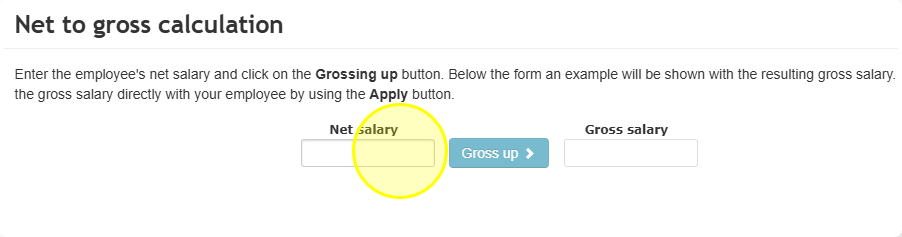
This will gross-up the employee's fixed salary. Celery will automatically include things like vacation pay, pension, and taxed benefits (like a company car or phone) in the calculation.
Option 2: Use wage codes 180 or 190
With these codes, you enter the net amount you want the employee to receive. Celery will then calculate how much gross salary is needed to get that net amount, and adds it to the payroll automatically.
These are usually used for one-time net bonuses or fixed net allowances.
What's the difference between code 180 and 190:
- Wage code 180: the grossed-up amount is included when calculating SVB/SZV wages (so it affects social security contributions).
- Wage code 190: the grossed-up amount is NOT included in SVB/SZV wages (so it does not affect social security contributions).