Hoe maak ik een voorbeeldloonstrook met een Proforma werknemer?
Wat is een proforma werknemer?
Een proforma werknemer is een testwerknemer. Het systeem houdt deze werknemer buiten uw echte salarisverwerking. Zo kunt u deze persoon nooit per ongeluk uitbetalen.
Wanneer is dit handig?
- U wilt een voorbeeldloonstrook maken
- U wilt testen hoe het systeem een salaris berekent
- U wilt een nieuwe werknemer alvast het salaris laten zien vóór de startdatum
Hoe voegt u een proforma werknemer toe?
- Ga naar Werknemers - Toevoegen
- Kies bij Categorie voor Proforma
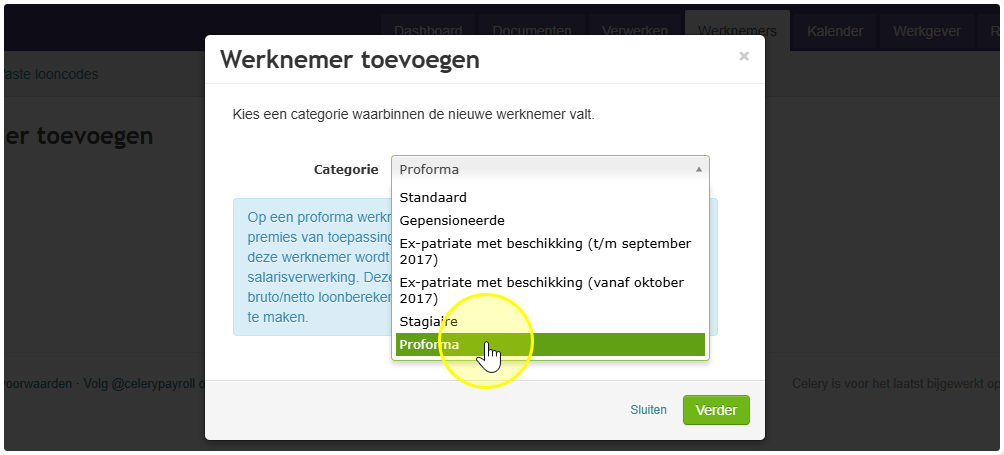
- Vul de gegevens van de werknemer in
- Klik op Doorgaan en vul de rest in
- Klik op Opslaan
Wilt u een proforma werknemer omzetten naar een echte werknemer?
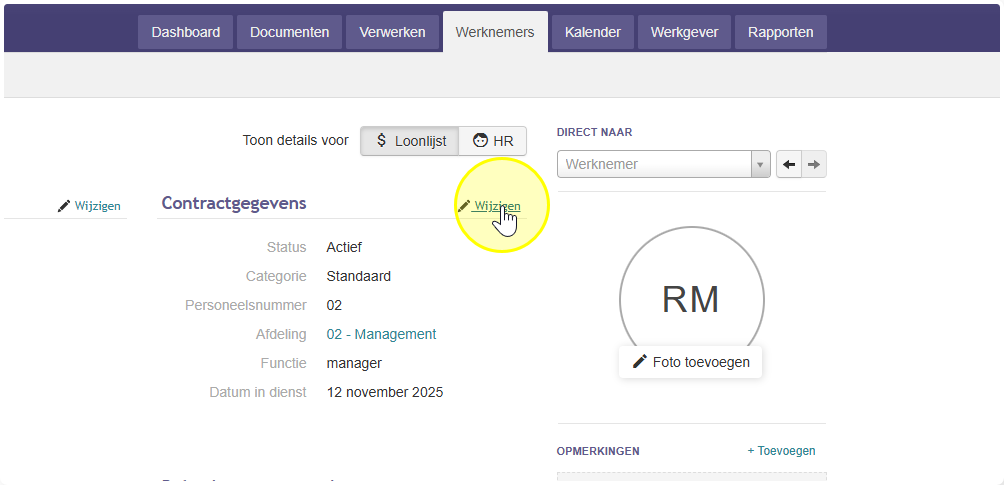
- Ga naar Werknemers en open de proforma werknemer
- Klik op Wijzigen
- Wijzig de Categorie van Proforma naar de juiste categorie (bijvoorbeeld: Reguliere werknemer)
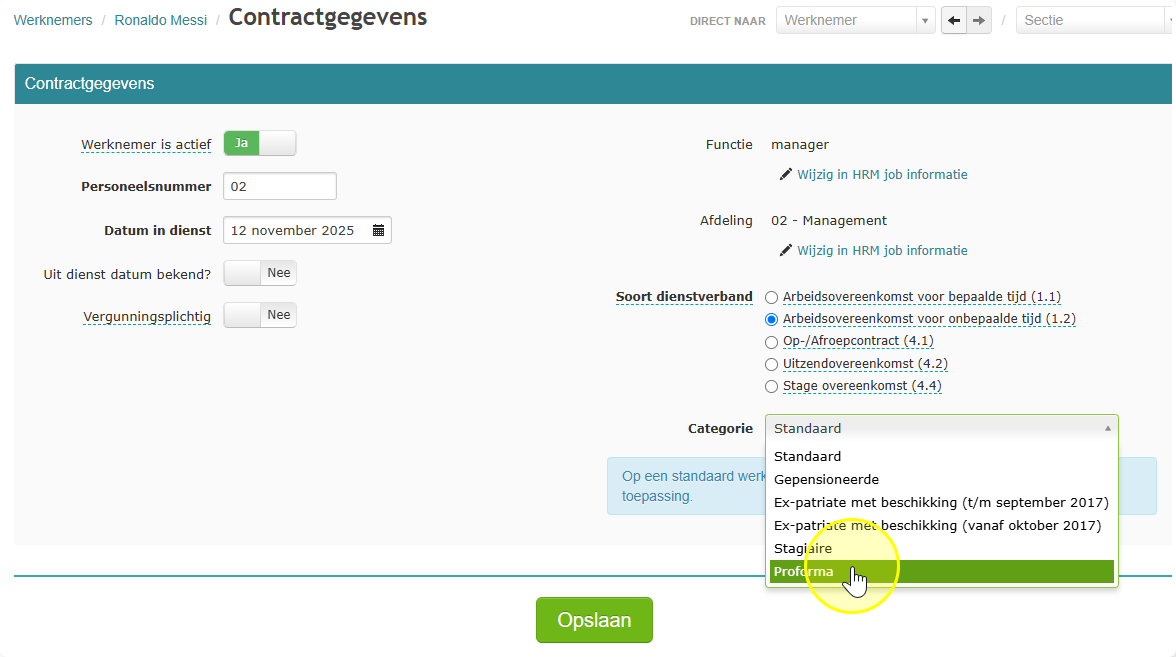
- Klik op Opslaan
- De werknemer draait nu mee in uw normale salarisverwerking
Goed om te weten:
- Proforma werknemers staan niet in uw officiële salarisjournalen
- Er gaat niets naar de SVB (sociale verzekeringsbank) of de Belastingdienst
- U hoeft een proforma verwerking niet af te sluiten