How do I make a sample payslip with a Proforma employee?
What is a proforma employee?
A proforma employee is a test employee. The system keeps them out of your real payroll. This way, you can never pay them by accident.
When is this useful?
- You want to make a sample payslip
- You want to test how the system calculates a salary
- You want to show a new employee their pay before they start
How do you add a proforma employee?
- Go to Employees - Add
- Under Category, choose Proforma
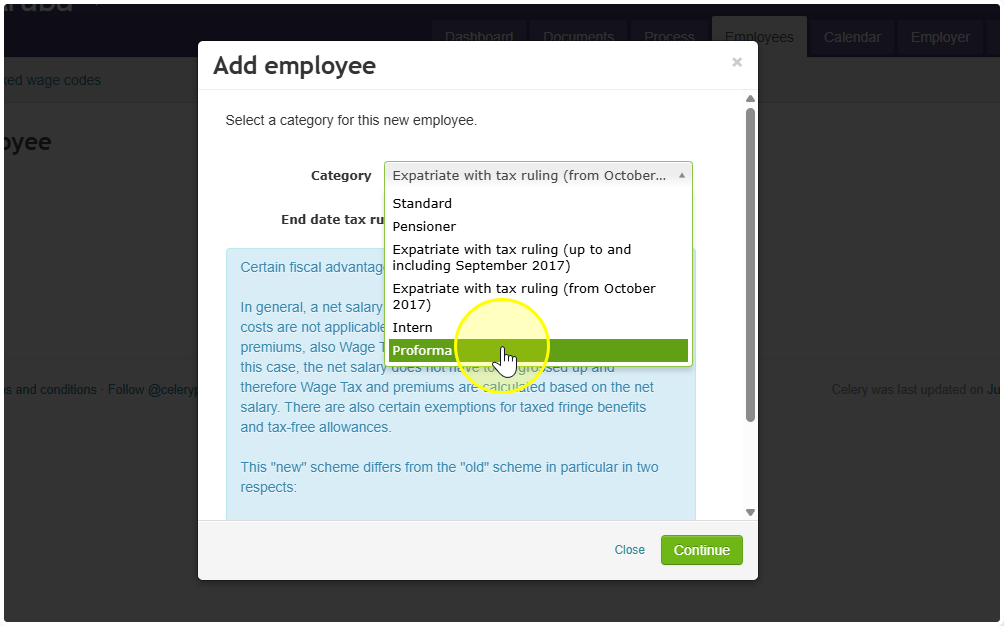
- Fill in the employee's details
- Click Continue and fill in the rest
- Click Save
Want to turn a proforma employee into a real employee?
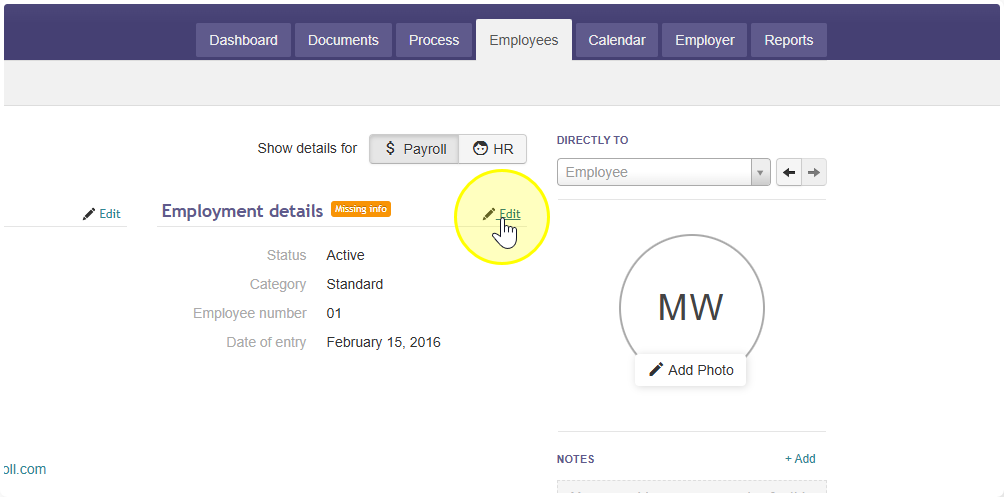
- Go to Employees and open the proforma employee
- Click Edit
- Change the Category from Proforma to the right type (for example: Regular employee)
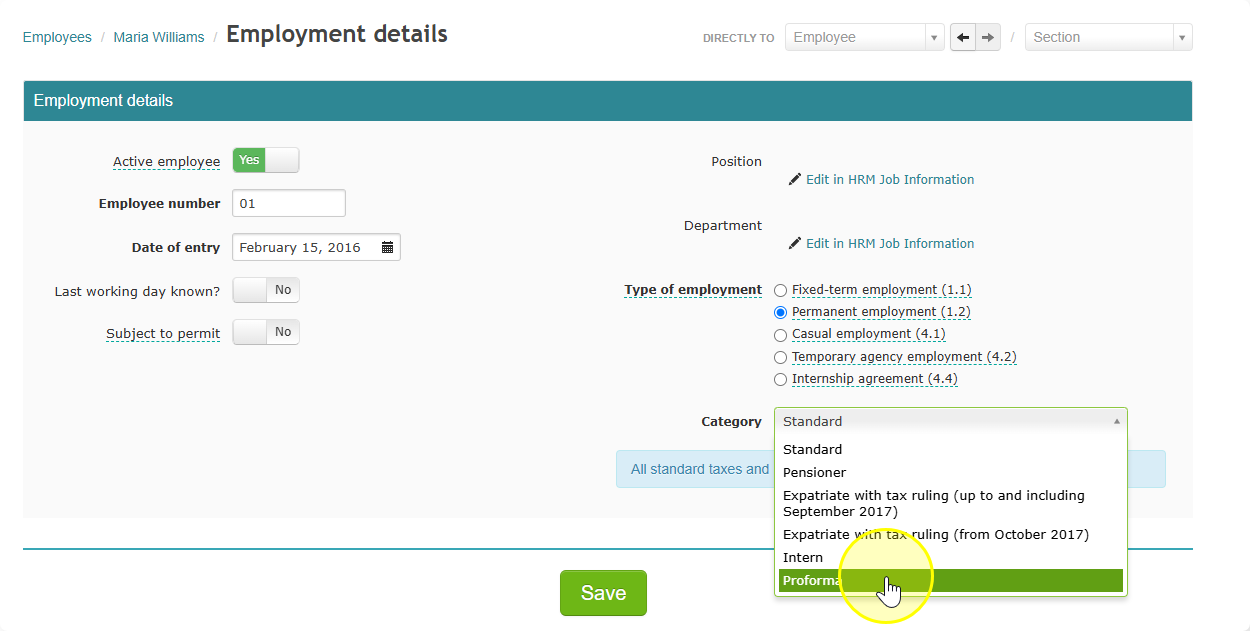
- Click Save
- The employee is now part of your normal payroll
Good to know:
- Proforma employees do not show up in your official salary reports
- Nothing is sent to the SVB (social insurance office) or the tax office
- You do not need to close a proforma run