How to show more or less information on a payslip
Sometimes you want a payslip to show a bit more information. Or a bit less. Some things must be on it by law. But other things you can choose yourself.
Change it for all employees at once:
- Go to the Employer tab.
- Click Edit at your employer details.
- Open Reports after closing pay run.
- Open the payslips and tick the options you want.
- Click Save.
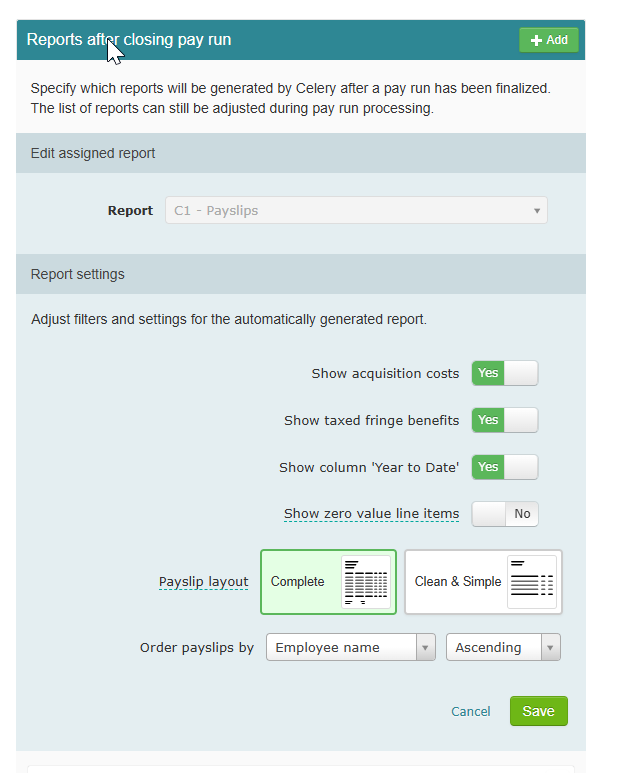
Done! The next time you close a pay run, the payslips will use your new settings.
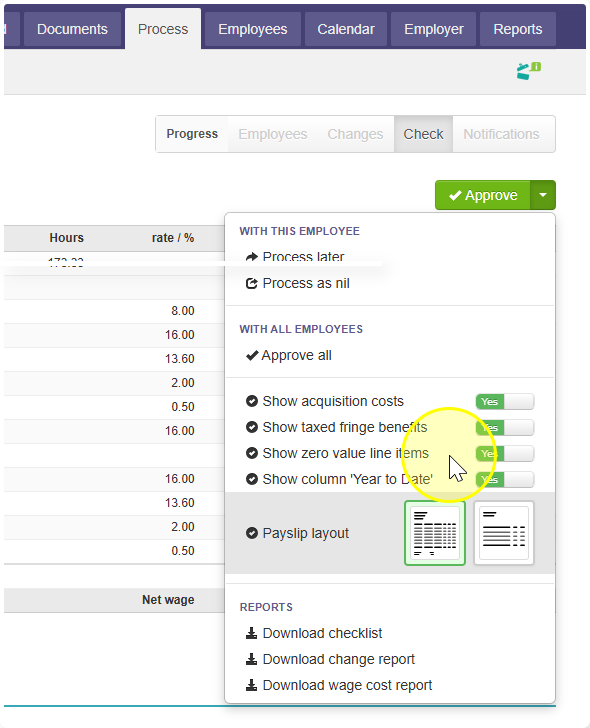
Change it for one employee only:
- Go to that employee's payslip.
- Click the small arrow next to the Approve button.
- Pick the options you want.