How do I upload a file in the Documents tab?
The Documents tab lets you share files with others. Think of things like an import sheet or a mutation form.
Here's how to do it, step by step:
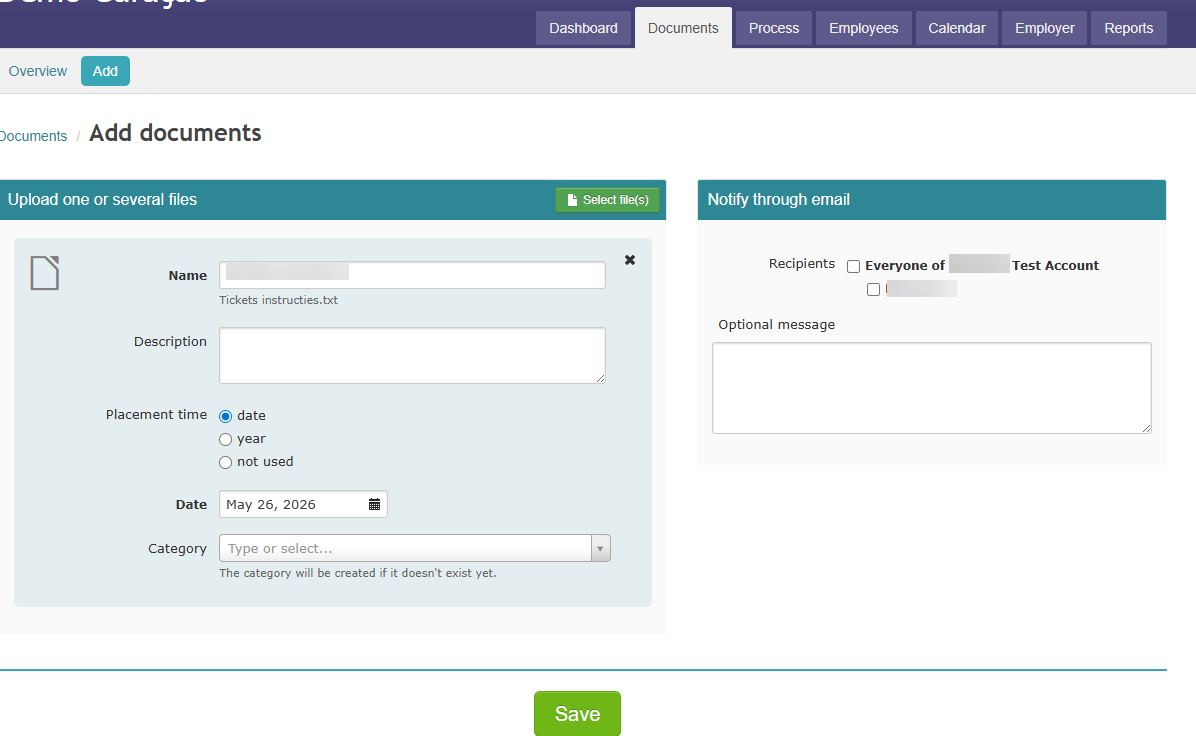
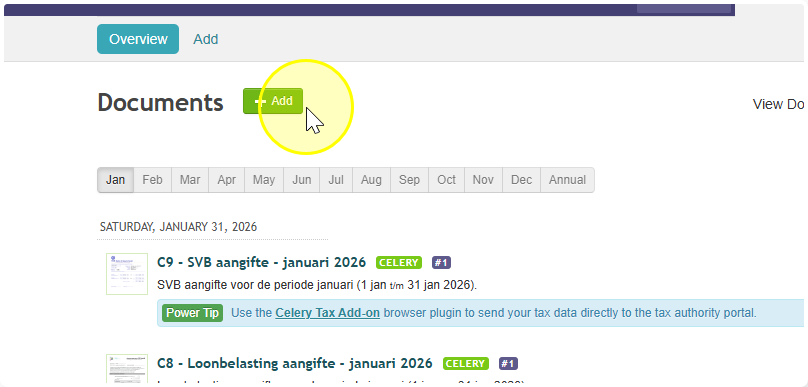
- Go to the Documents tab.
- Click Add.
- Pick one or more files from your computer. Then click Open.
- Give each file a short name and a description.
- Under Place on, choose where the file should appear:
- A date → the file shows up in the tab for that month.
- Year → the file goes into the Annual Work tab.
- Do not use → the file is only visible when you select Display as list.
- Want to notify someone by email? Add their name and a message. That message becomes the body of the email.
- Done! Your file is now uploaded and ready to go.