How do I use the anonymous tax rate in Celery?
The anonymous tax rate means the employee pays wage tax at the highest rate, on their normal salary.
Celery doesn’t have a single button for this. But you can get the same result in two steps.
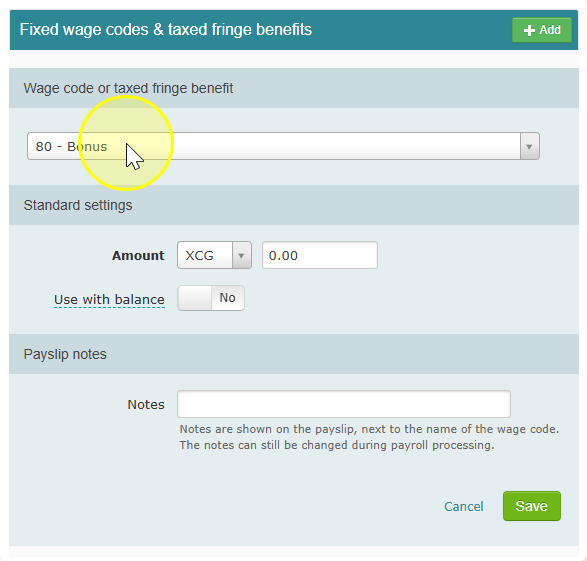
Step 1: Put the salary on a special wage code
- Enter the employee’s salary on a fixed wage code.
- Pick a wage code that uses the Extra Income Tax Table. This is the tax table used for one-off payments, like bonuses.
- A bonus wage code is a good example.
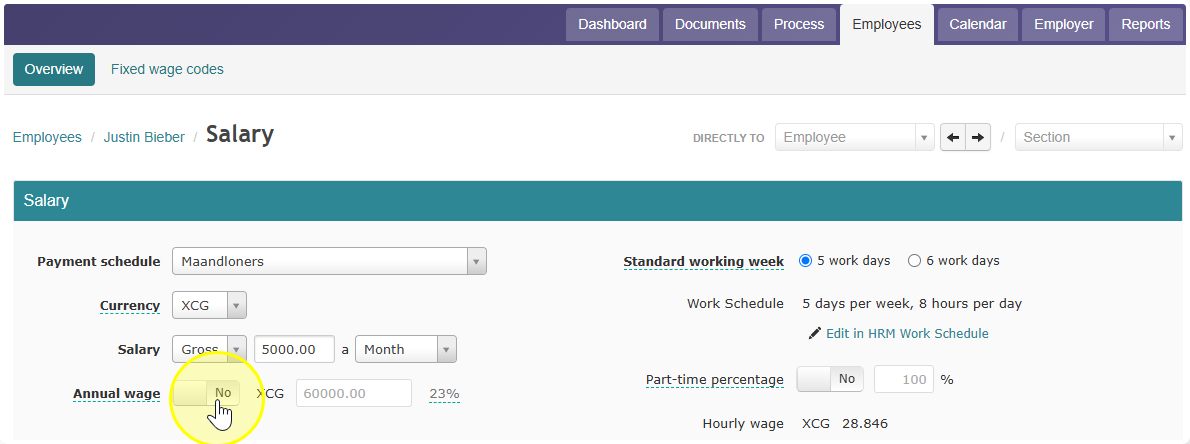
Step 2: Set the right annual wage
- Make sure the employee has an annual wage filled in.
- This annual wage must be high enough so that Celery uses the highest tax rate on extra income payments.
The result: Celery now takes the highest tax rate off the salary. That is the same as the anonymous tax rate.