Too much or too little Wage Tax is deducted from an employee. How is that possible?
This often happens when an employee starts or leaves partway through the month. In that case, the number of working days you enter decides how much Wage Tax Celery deducts. If that number is wrong, the Wage Tax will be wrong too.
Did the employee start or leave this month?
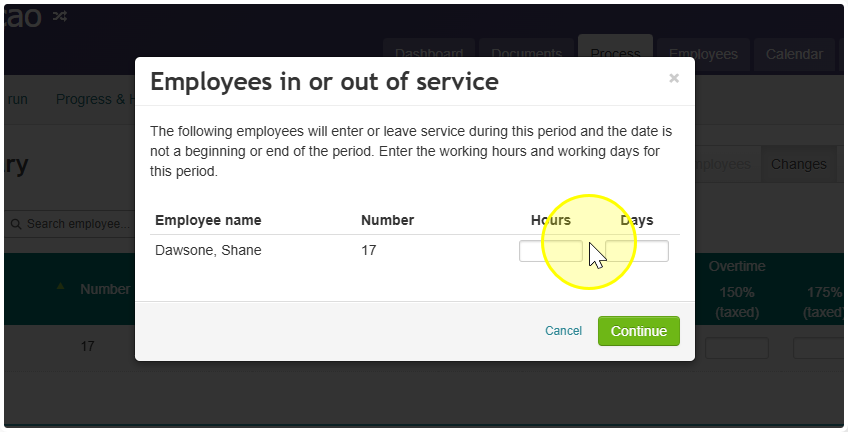
If so, Celery asks you for two things for this payroll period:
- The number of hours worked.
- The number of working days.
Why the number of working days matters
- For a partial month, Celery must use the daily Wage Tax table. It isn’t allowed to use the monthly table.
- The daily table looks at how much the employee earns per working day.
- So Celery needs the correct number of working days to get the Wage Tax right.
Working days, not calendar days
Enter only the days the employee normally works. Don’t count weekends or other days off.
What happens if the number is wrong
- Too few working days: Celery deducts too much Wage Tax.
- Too many working days: Celery deducts too little Wage Tax, or none at all.
What to do: check the number of working days you entered for this employee. Correct it if needed, and the Wage Tax will be recalculated.