How to download your yearly wage summary (VZL) for the Tax Authorities
This is the digital file the Tax Authorities need from you once a year.
Follow these steps:
- Go to Reports
- Click on Annual Reports
- Choose report number 13
- Select the correct year
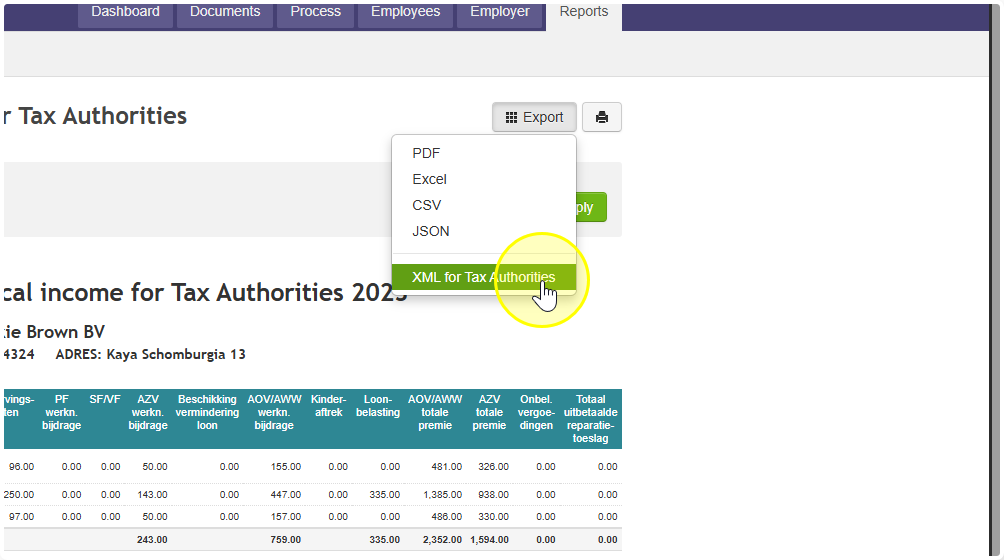
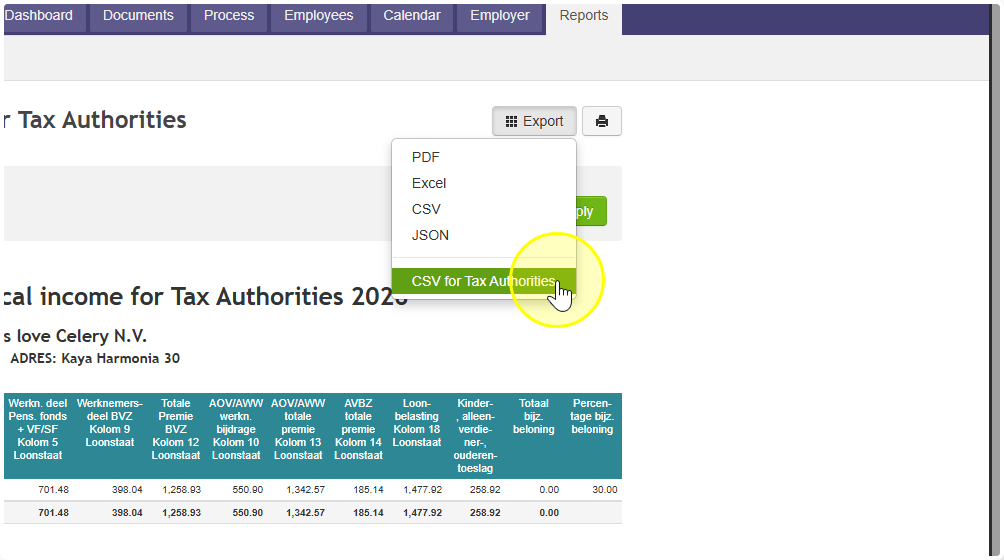
- Click Export
- Choose the right option for your island:
- Aruba → choose "XML for Tax Authorities"
- Other islands → choose "CSV for Tax Authorities"
- Aruba → choose "XML for Tax Authorities"
- Click Generate
- Click Download
The file is now saved in your Downloads folder.
Important — please read this before you do anything with the file!
Do NOT open the file. Just leave it in your Downloads folder and upload it straight to the Tax Authorities website.
Opening the file can change it without you noticing. If that happens, the Tax Authorities website will not accept it.
Quick reminder: Make sure you pick "CSV for Tax Authorities" — not just "CSV". These are two different options and only one of them works for the Tax Authorities.