How to add your business logo
You can add your logo so it shows up on the login screen, pay slips, and reports.
Before you start, make sure your logo file:
- Is a .jpg or .png file
- Is at least 480 x 400 pixels in size
Steps:
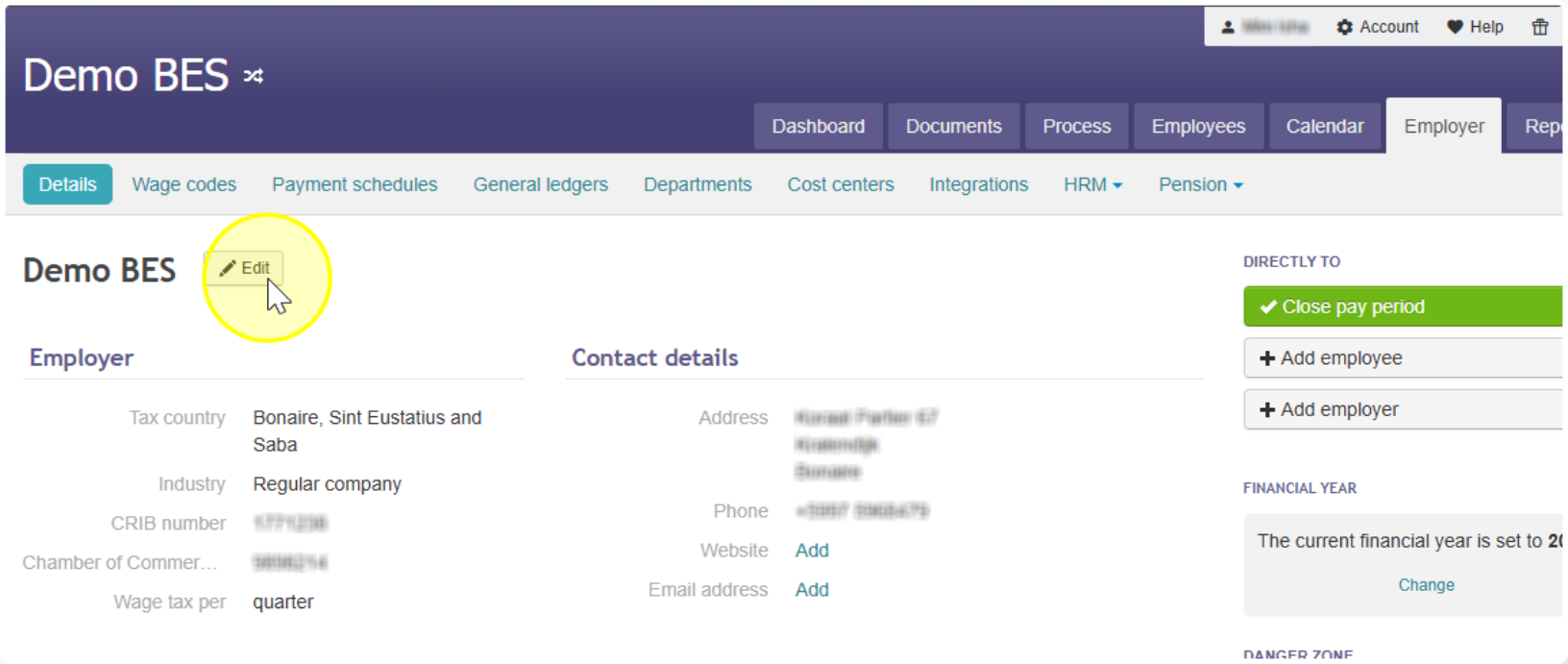
- Go to Employer, then click Details
- Click Edit next to your company name
- Find the section called Business logo
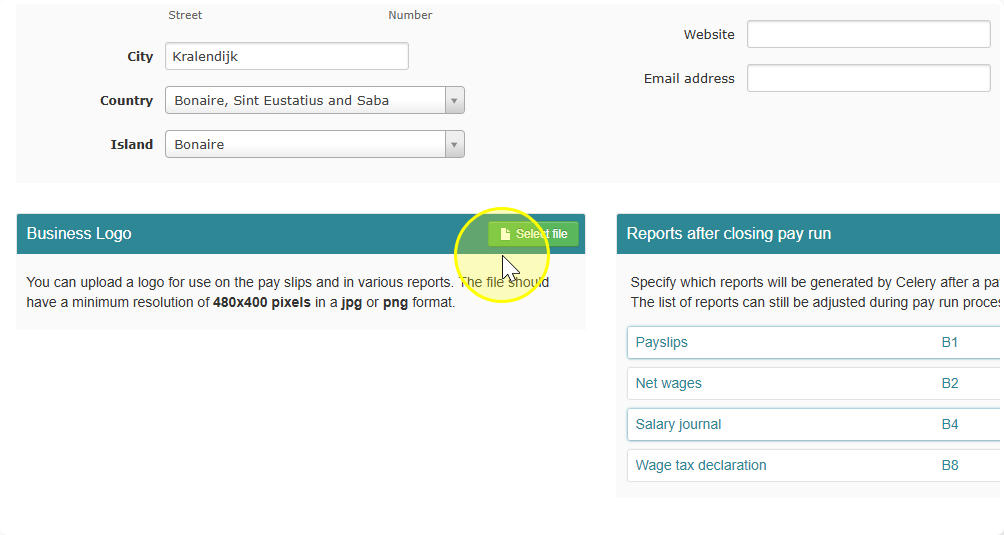
- Select your logo file and then click on Save
- Done! Your logo is now uploaded.